
Selecting a Transportation Management System (TMS) is a real investment. It can also feel needlessly hard because pricing is often hidden behind demos, custom quotes, and feature tiers that do not match how your team actually works.
For most carriers and brokerages, TMS software costs land anywhere from about $50/month for basic tools to $2,000+/month for enterprise-grade automation. The market is also getting more competitive. The global TMS market is projected to grow from $15.92B in 2024 to $37B+ by 2030, fueled by rising complexity and pressure to cut costs across the supply chain.
This guide breaks down pricing models, 2026 benchmarks, and the hidden fees that usually show up after you sign. You will leave with a clean way to compare per-load vs per-user vs flat-fee structures, plus a practical way to estimate ROI before you commit.
Average TMS Software Pricing Benchmarks for 2026
For most transportation companies, TMS pricing follows a tiered structure based on volume, workflows, and the number of users on the system.
Here are realistic 2026 benchmarks:
| TMS tier | Best for | Typical monthly price (USD) | What you usually get |
|---|---|---|---|
| Entry-level | Owner-operators, very small fleets, lean dispatch | 20 to 150 | Basic dispatch, tracking, invoicing, limited integrations |
| Mid-market | Growing brokerages and fleets that need integrations | 350 to 1,000 | EDI and accounting connections, stronger workflows, team permissions, reporting |
| Enterprise | Large networks, multi-entity ops, heavy automation | 2,000+ (often custom) | Optimization, advanced integrations, deeper analytics, dedicated support |
Two real-world reference points:
-
Alvys published starting point: Alvys lists a full-suite starting price around $514/month, which is useful as a mid-market anchor when you want a broad feature set.
-
TruckingOffice entry point: TruckingOffice advertises plans as low as $20/month for limited fleets, which is a realistic floor for lightweight dispatch and billing.
Treat these as anchors, not guarantees. The biggest driver is almost always how many workflows you want inside the TMS (dispatch, tracking, customer portal, accounting, EDI, carrier onboarding, claims, detention, and more).
Common TMS Software Pricing Models Explained
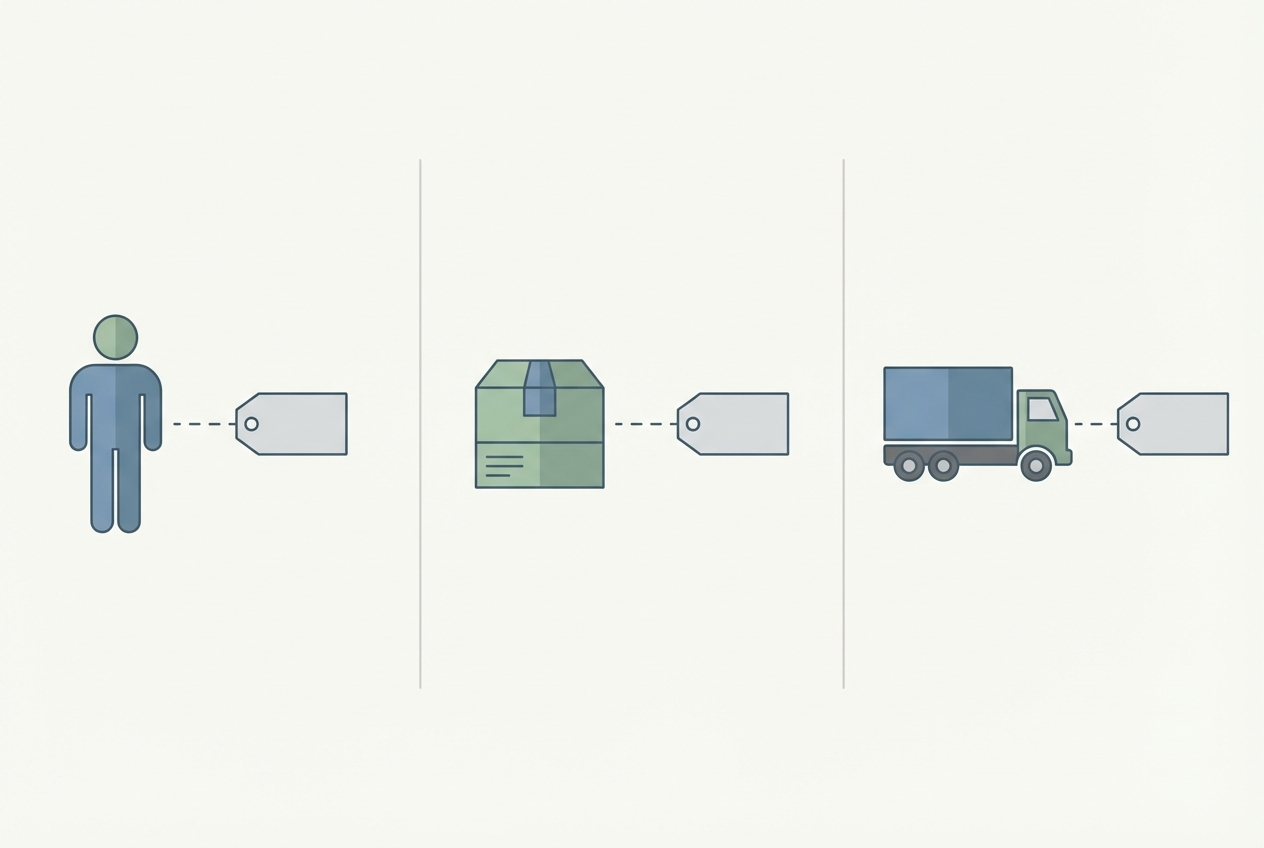 Most TMS pricing boils down to what you are paying for: users, loads, or assets.
Subscription-based (SaaS) pricing
This is the most common model today. You pay monthly or annually.
Common ways SaaS pricing is packaged:
-
Per user (seat): You pay for each dispatcher, broker, or back-office user who needs access.
-
By fleet size: Some vendors align pricing to the number of trucks or power units you manage.
-
By feature tier: "Basic" vs "Pro" vs "Enterprise" usually gates automation, integrations, reporting, and support.
Why it works: predictable budgeting, faster deployment, and fewer IT headaches.
Where it hurts: if your team grows fast, your bill can climb even when freight volume does not.
Per-load or transactional pricing
In this model you pay based on usage, not seats. Costs can range from $0.40 to $5.00 per load depending on the tool and what counts as a "transaction."
Why it works: if you have seasonal spikes, transactional pricing can keep fixed costs low in slow months.
Where it hurts: if your volume is steady and trending up, transactional fees can become a silent tax, especially when the vendor charges extra for add-ons like tracking, document workflows, or integrations.
Per-truck or asset-based pricing
This model is common for carriers. You pay a set fee per power unit, often in the $5 to $15 per truck/month range (varies by vendor and module set).
Why it works: costs scale in a way that matches operational scale. A bigger fleet pays more, but it stays predictable.
Where it hurts: if your dispatch operation is complex (more users, more workflows), you can still get hit with extra fees for seats, integrations, or premium support.
Key Factors That Impact TMS Software Costs
Most "pricing surprises" are costs tied to how you run your business. Use this list to pressure-test a quote before it becomes a contract.
-
User licenses: Adding dispatchers, brokers, or back-office users often increases the bill by $50 to $150 per seat. This matters if you plan to hire, split shifts, or add a customer success layer.
-
Integration complexity: Connecting your TMS to ELDs, EDI (Electronic Data Interchange), accounting tools (like QuickBooks), or a customer portal can trigger setup fees, ongoing API charges, or both.
-
Customization requirements: Off-the-shelf TMS products are cheaper because you adapt to their workflow. If you run specialized hauling (bulk, hazmat, intermodal, LTL), you may need a higher-tier plan or paid customization.
-
Load board access: Built-in load searching and truck matching may be included, but it is often an add-on. In other cases, you still need separate subscriptions (DAT, Truckstop, and similar).
A simple rule: every place your team currently copy-pastes data is a future line item. Either you will pay for an integration, or you will pay in labor hours.
Hidden Costs of Implementing a TMS
The sticker price is only one part of the check you will write.
Budget for the implementation layer, even if the vendor calls it "lightweight."
-
One-time setup and onboarding: This can range from a few hundred dollars for simple cloud setups to several thousand for complex deployments. Enterprise rollouts can go much higher if multiple business units are involved.
-
Training time (your internal cost): Even if training is "free," your team is still spending hours learning and re-learning the system. For many operators, this becomes the real cost center, especially when turnover is high. If your goal is to reduce admin load, it helps to think in terms of process automation, not software alone.
-
Data migration: If you have customer lists, lanes, carrier packets, rate history, or old invoices, ask whether migration is included. Many vendors bill this hourly or push it to a partner.
-
Support tiers: "Standard" support might be email-only with slow response times. "Premium" 24/7 support commonly adds a surcharge on top of the base subscription.
-
Change management: You will likely need to rewrite SOPs, permissions, and exception handling. That is operational work, even if the software itself "works."
If you want pricing clarity, ask for a quote in two parts: (1) subscription and (2) implementation and operating costs for year one. Vendors who can only answer the first part are not giving you a real price.
Calculating the ROI of Your TMS Investment
TMS pricing only makes sense when you tie it to outcomes: fewer empty miles, tighter billing, faster collections, fewer disputes, and fewer hands touching each load.
A practical way to estimate ROI is to measure savings in three buckets:
-
Freight spend and execution savings: Descartes notes organizations can often save 5% to 10% of their transportation budget with a TMS, with levers like consolidation and optimized carrier selection.
-
Administrative efficiency: If your team re-keys load details into multiple systems, you are paying for the same work twice. Automating tendering, paperwork, and invoicing can cut manual hours materially.
-
Reduced errors and disputes: Fewer typos and clearer audit trails reduce billing mistakes, short pays, detention disputes, and "where is my load" fire drills.
A quick ROI worksheet you can reuse
-
Baseline your operation: Capture monthly freight spend, number of loads, and back-office hours spent per load so you have a before-and-after benchmark.
-
Pick a conservative improvement target: Start small (for example, fewer touches per load or faster invoice turnaround) so your math survives reality.
-
Account for implementation in year one: Spread one-time setup, training time, and migration across 12 months so you compare like-for-like.
-
Set a 90-day checkpoint: Look for leading indicators quickly (cycle time, fewer manual steps, fewer missed invoices) and adjust process, training, or integrations early.
If you want a broader playbook for turning manual work into systems you can scale, consider reading our guide to automating business processes.
Building vs. Buying: A Strategic Cost Perspective
For many operators, the decision comes down to fit over time. An off-the-shelf TMS can be a strong starting point. But if your workflows are different, or your growth is fast, pricing can drift upward in ways that are hard to predict.
Buying off-the-shelf is usually faster:
-
Faster time to launch: Many teams can go live in weeks if the workflows match and integrations are light.
-
Proven default workflows: You inherit patterns the vendor has tested across many fleets and brokerages.
-
Bundled support and maintenance: Updates, security patches, and basic support are typically included.
The long-term tradeoff is that you keep paying for the vendor’s billing model. That often means per-user fees, add-on modules, and limits on how far you can customize before costs spike.
Building (or partially building) becomes attractive when:
-
Unique workflows keep breaking tools: If your team is constantly using spreadsheets to patch gaps, you are already "building" in a painful way.
-
You want one connected operating system: Unifying dispatch, billing, and customer experience into one workflow can reduce errors and speed up cash.
-
Per-seat pricing is punishing growth: When adding a dispatcher increases software cost more than it increases throughput, the model stops working.
If you want a structured way to evaluate the economics, use this internal framework: Custom business software development: build vs buy. It helps you compare total cost of ownership over multiple years, which is where the real pricing story shows up.
This is also where QuantumByte can be a practical option if you are stuck between "cheap but limiting" and "enterprise but expensive." You can prototype internal tools and portals from natural language, then bring in an in-house dev team when you need deeper integrations or edge-case workflows.
You do not need to build a full TMS from scratch to benefit. Many teams start by building the pieces off-the-shelf tools struggle with, like pricing calculators, customer portals, exception workflows, or automated document checks.
Choosing the Right TMS for Your Budget
The best way to navigate TMS software pricing is to match it to your reality today and the business you are building over the next three years.
Use this process:
- Growth math: Project trucks, loads, customers, and internal users quarterly so you can see when pricing tiers or per-seat costs will jump.
- Must-have workflows: List what needs to be inside the system (tracking, EDI, carrier onboarding, claims, customer portal, factoring support) so you do not pay for the wrong "bundle."
- Pricing risk: Decide which scaling trigger you can tolerate most, whether that is per-user (hiring grows cost), per-load (volume grows cost), or per-truck (fleet grows cost).
- Vendor comparison scorecard: Compare three to five vendors using the same scorecard, then request a written quote that includes implementation and support.
- Discounts and contract terms: Ask about annual prepay, multi-year incentives, and volume discounts, and get those terms in writing before procurement.
When you compare options, avoid a common trap: choosing a tool that looks cheap but forces manual work forever. If your team is already stretched, that "low price" often shows up later as extra hires, constant rework, and slower cash collection.
If you are exploring a hybrid path, where you keep a lightweight TMS but build the missing workflows around it, QuantumByte can help you move fast without piling on overhead.
How to think about TMS pricing like an operator
TMS pricing is a scale strategy. The monthly fee is only the visible part. The real cost shows up when your volume, your team size, and your integrations expand.
In this guide, the following were covered:
-
2026 pricing benchmarks: What entry-level, mid-market, and enterprise tools tend to cost, plus real vendor anchors to calibrate your expectations.
-
Core pricing models: How subscription, per-load, and per-truck structures work, and what kind of growth makes each model expensive.
-
Primary cost drivers: Why seats, integrations, customization, and load board access are the levers that inflate quotes.
-
Implementation and operating costs: Where training time, migration, support tiers, and change management can quietly add up.
-
A practical ROI method: How to tie TMS spend to freight savings, admin efficiency, and fewer disputes.
-
Build vs buy economics: When it makes sense to stay off-the-shelf, and when custom workflows can reduce total cost of ownership.
The best next step is simple: map your volumes and team size forward, then pick a pricing structure that will not punish growth.
Frequently Asked Questions
How much does a typical TMS software cost per month?
Most small to mid-sized carriers and brokers pay between $350 and $1,000 per month, though basic plans can start as low as $20/month (for limited fleets) with tools like TruckingOffice.
Are there free TMS software options for carriers?
Yes. Some platforms offer free tiers, but they usually limit users, loads, or critical features like integrations and reporting. Free can work for testing, but most teams outgrow it once operations get busy.
What is the average cost of TMS implementation?
Implementation fees vary widely. They can be $0 for simple self-serve setups, or $5,000+ for deployments that require integrations, data migration, and team onboarding.
Does TMS software pricing include load board integrations?
It depends. Some systems include basic access, while others require separate subscriptions and setup work. Always ask what "integration" means in the quote (embedded workflow vs a link-out vs paid add-on).
What is the ROI of implementing a TMS?
Savings depend on your freight spend and how manual your current workflow is. Many organizations see meaningful reductions through consolidation, better carrier selection, and invoice controls. Descartes estimates 5% to 10% savings on transportation budget is common with a TMS when deployed well.