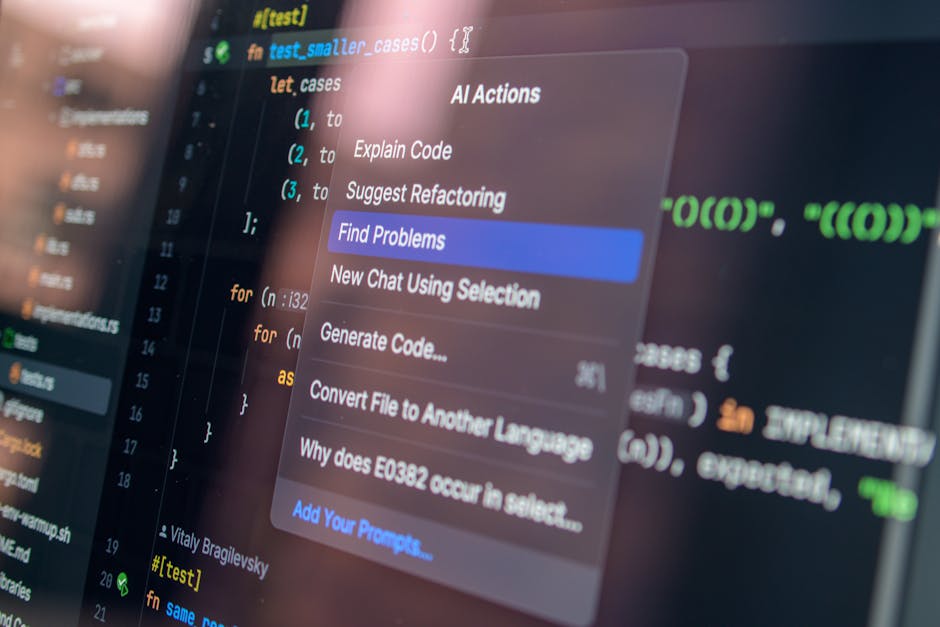
Cursor vibe coding is a fast way to build software by steering an ASSI coding assistant with clear intent, tight feedback loops, and just enough guardrails to stay safe. Done well, it helps you ship prototypes and internal tools in days instead of dragging ideas through a month of "one more tweak." Done poorly, it creates a messy codebase you are scared to touch.
This guide shows you how to do cursor vibe coding the responsible way: you move fast, and you keep control.
What "cursor vibe coding" actually means
"Vibe coding" is a term describing a mode where you lean into the flow and let the AI carry more of the implementation burden, often by pasting intents and errors back and forth instead of writing every line yourself. Simon Willison captures the original framing and why it took off in his write-up on the term "vibe coding."
In Cursor, vibe coding usually means you:
-
Describe the goal in plain English: You state what the software should do, using business language rather than code-first language.
-
Let Cursor's AI Agent plan and edit across files: You give it a target and constraints, then let it make coordinated changes.
-
Run the app and feed back real errors: You test quickly, paste stack traces, and ask for minimal fixes.
-
Review enough to avoid silent failure: You scan diffs, check edge cases, and make sure it did what you asked.
This approach works best when:
-
You have a clear outcome: You know what "success" looks like for the user, even if you do not know the best implementation.
-
The scope is small-to-medium: A feature, an integration, or a micro-tool is easier to verify than a whole platform.
-
You can test quickly: A dev server, unit tests, or a simple script keeps the feedback loop tight.
It works poorly when:
-
The requirements are vague or political: If the goal shifts daily, the AI cannot converge on a stable implementation.
-
Data security is unclear: If you cannot safely share code or prompts, you need stricter controls and a different workflow.
-
You need production reliability without a release process: Without tests and deployments, speed turns into risk.
Set expectations: vibe coding runs on feedback loops
The fastest builders do not "one-shot" an app. They run a tight loop that keeps the AI focused and keeps you in charge.
A practical mental model is:
-
Intent: What the user should be able to do.
-
Context: What the AI needs to know about your code and constraints.
-
Change: Cursor edits code.
-
Proof: You run and verify.
-
Refine: You tighten specs, add tests, or simplify.
If you are a business owner building tools to remove manual work, this loop pairs well with "build small, ship often." If you want ideas for what to build first, start with internal pain points like quoting, onboarding, reporting, and follow-ups. This pairs naturally with automating business processes.
Get Cursor ready for vibe coding
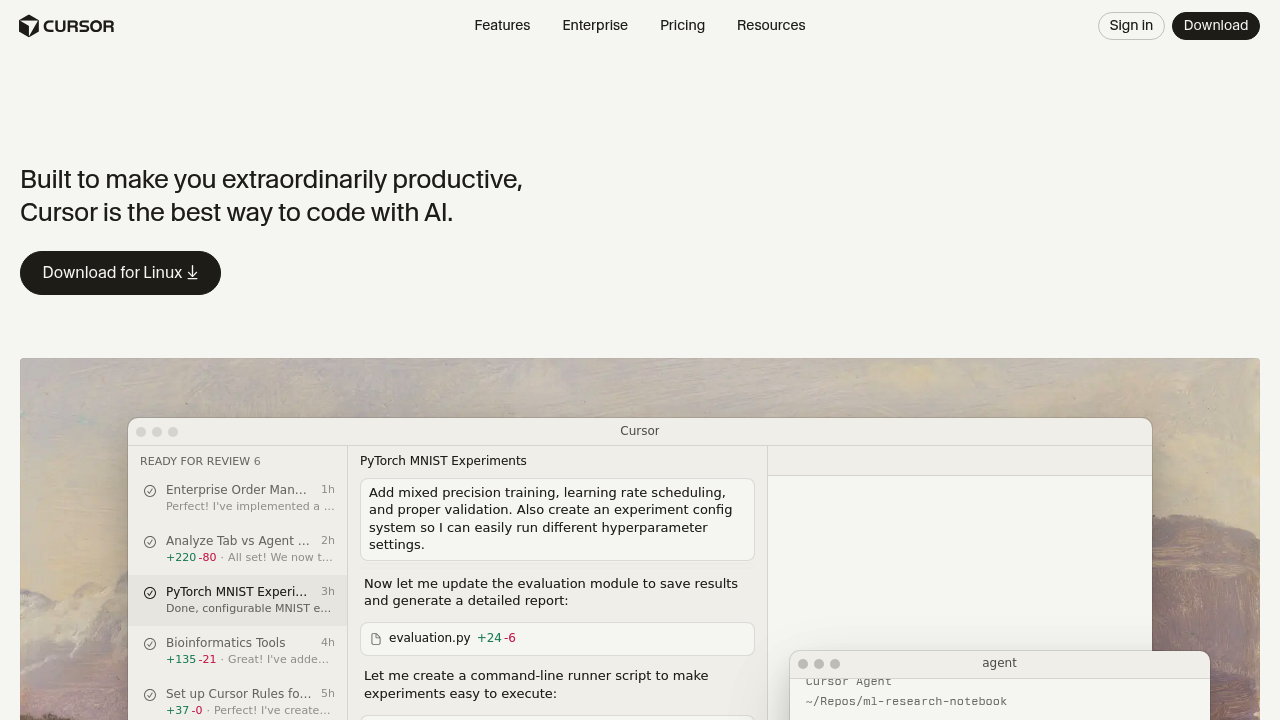 Cursor is an AI-first editor that can run an agent to edit multiple files for you.
Before you start prompting, set up your environment so Cursor can succeed.
-
Install Cursor and open a real repo Cursor performs best when it can see a normal project structure (folders, dependency files, and a consistent entry point). If you are starting from scratch, scaffold something boring and standard (Next.js, Rails, Django, FastAPI). Vibe coding loves conventions.
-
Make "run" easy Add a single command that runs the app locally. If it takes five steps to boot, you will stop testing. Keep a short "How to run" note in your README.
-
Turn on privacy controls if needed If you are building with sensitive client data, review Cursor's privacy and governance options and enable what you need. Cursor documents how Privacy Mode works and what it changes for data retention in its "privacy and data governance" documentation.
-
Decide how you will verify changes Pick at least one:
-
A unit test runner: Even a handful of tests gives you fast confidence.
-
A linter and formatter: This keeps AI-generated code readable and consistent.
-
A manual smoke test script: A short script or repeatable flow prevents "it works on my machine" surprises.
-
A basic checklist for critical user flows: Useful when you are still early and do not want to over-invest in tests.
You do not need enterprise ceremony. You need a repeatable proof step.
Cursor modes you will actually use
Cursor gives you multiple ways to work with the AI. The trick is picking the right mode for the job.
| Mode | Best for | What you do | What you verify |
|---|---|---|---|
| Inline edit (Cmd/Ctrl+K) | Small edits, refactors in one file, quick questions | Highlight code and ask for a change | The diff is sensible and compiles |
| Chat | Planning, debugging, "what is going on?" | Ask for explanation, options, tradeoffs | The plan matches your product intent |
| Agent (Cmd/Ctrl+I) | Multi-file features, integrations, "make it work end-to-end" | Give a goal and constraints, let it execute | Tests pass, app runs, and behavior matches spec |
Cursor's Agent is designed to complete more complex tasks independently, including making edits across the codebase, as described in its "Agent overview."
The 6-step vibe coding loop in Cursor
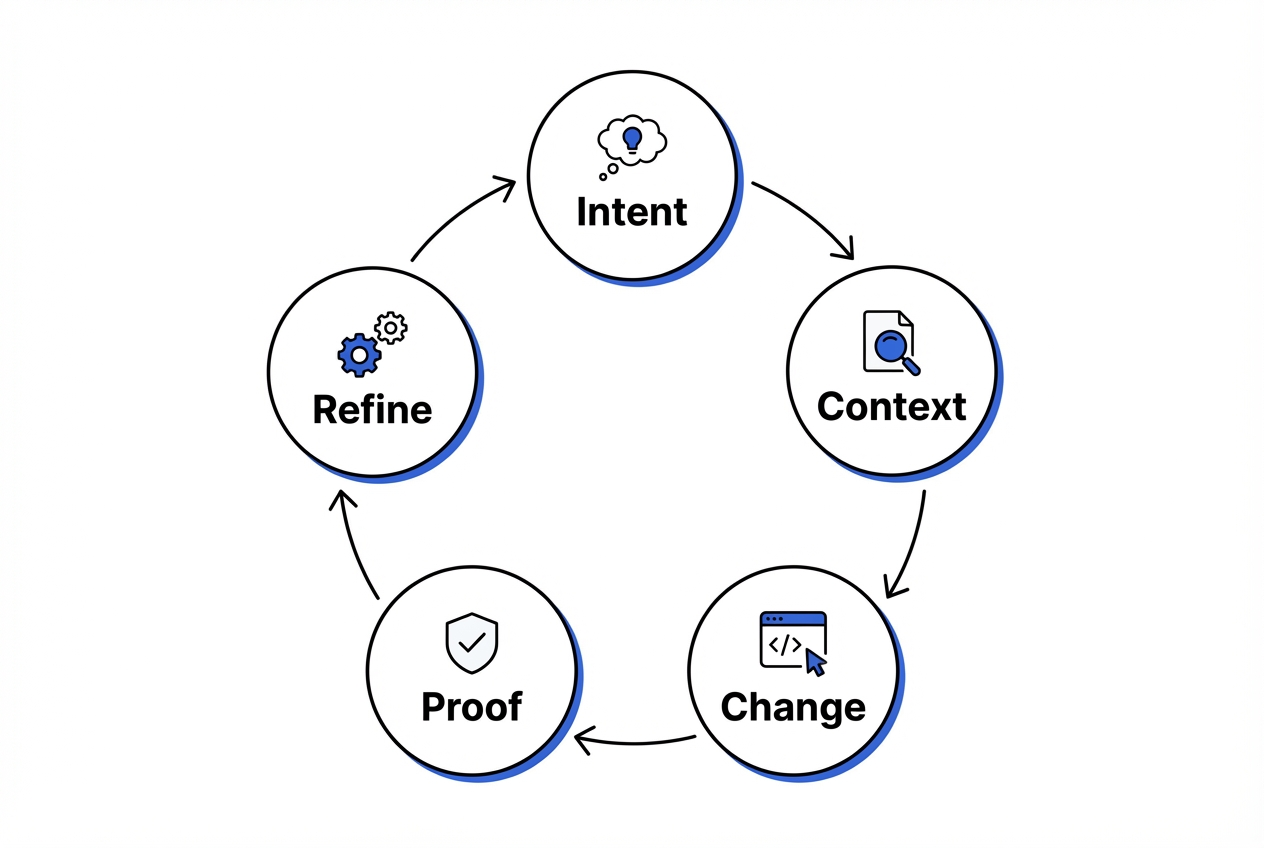 This 6-step loop is the engine behind safe speed: you keep proving reality, not debating theory.
This is the loop to follow when you want speed without chaos. The key is to keep each step small enough that you can verify it quickly. That is what stops "AI progress" from becoming "AI drift."
1. Start by defining the outcome
When you lead with outcomes, you give the agent something it can design toward. Feature lists invite scope creep and architecture debates. Outcomes keep the build grounded in user value.
Bad prompt: "Build me a CRM."
Good prompt: "I need a lightweight lead tracker for a solo agency. Users can add a lead, set a status, and see a weekly pipeline view. Keep it minimal and fast."
When you do this well, Cursor tends to pick simpler implementations because it is optimizing for the user experience you described.
2. Add constraints that prevent rewrites
Constraints protect your momentum. Without them, the agent may "help" by reorganizing folders, changing patterns, or swapping libraries.
Tell Cursor what must not change. Examples:
-
Database stability: "Do not change the database schema unless necessary."
-
Consistency with existing patterns: "Keep the API routes RESTful and consistent with existing patterns."
-
Security boundaries: "Use the existing auth middleware."
Strictness helps keep the diff small for easier review rather than being a rule for its own sake. Smaller diffs are easier to scan, test, and trust.
3. Feed the right context, on purpose
Cursor can pull context, but it works best when you aim it. This is where you reduce guessing.
-
Anchor files: "Use
src/routes/leads.tsas the pattern." -
Interfaces: "Here is the
Leadtype. Do not add fields." -
Docs: "Use Stripe Checkout, not Payment Intents."
Cursor supports explicit context references through mentions like files and snippets. Its docs explain how "@ Mentions" work and why they help.
4. Let the agent implement, then keep the scope tight
Agent mode is where cursor vibe coding shines, because it can coordinate multi-file edits. The risk is overbuilding.
To prevent that, ask the agent to move in short, verifiable increments:
-
Outline a short plan (2 to 6 bullets): This gives you a chance to correct direction before it writes a lot of code.
-
Implement the smallest working version: You want a thin slice that runs end-to-end, even if it is not pretty yet.
-
Tell you exactly what to run to verify: This bakes testing into the workflow and keeps you honest.
If the agent starts adding "nice-to-haves," pause it and restate the boundaries. You are paying for speed, not surprises.
5. Prove it works by running the software
Execution is your truth serum. Running the app surfaces missing imports, incorrect assumptions, and broken edge cases immediately.
Run the app. Trigger the new flow. If it errors, paste the error back in.
-
Copy the full stack trace: Partial errors waste time because the agent cannot locate the real failure.
-
Say what you expected: "I clicked Save. I expected a success toast. I got a 500."
This is also where you build trust. This approach emphasizes trust in your verification loop rather than blind trust in the AI output.
6. Lock it in with a small test or guardrail
Speed that cannot be repeated is not leverage. A small test, validation rule, or linting check gives you future confidence.
Add one test or a simple validation that prevents regression. Keep it focused on the failure you just fixed or the feature you just added.
Prompt patterns that keep Cursor productive
If Cursor starts thrashing, your prompts are probably too open-ended. Use these patterns instead.
-
Define the job: Tell Cursor what role to play and what "done" means. Example: "Act like a senior engineer. Implement the feature and keep the diff small. Done means: users can create a lead and see it listed."
-
Constrain the surface area: Name the files it should touch and the files it must not touch. This prevents surprise rewrites.
-
Force a plan before code: Ask for a short plan and wait for it. Then approve the plan. This reduces zig-zagging.
-
Ask for assumptions: "List any assumptions you are making about existing code or environment." This exposes hidden guesswork.
-
Request a verification command: "After changes, tell me the exact commands to run to verify." This builds the proof habit into every iteration.
-
Use "smallest viable change" language: "Implement the simplest approach. Avoid new dependencies." This keeps the codebase lean.
Debug faster: how to hand Cursor errors so it can actually fix them
Cursor is strongest when you give it real signals. Debugging gets dramatically faster when you treat the agent like a teammate who needs precise reproduction steps.
-
Provide the error plus the moment it happened Include the command you ran, the URL you hit, or the button you clicked.
-
Tell it what changed right before the error Example: "This started after we added the new middleware." That narrows the search.
-
Ask for root cause plus a minimal fix This helps you avoid "fix by rewrite." Ask for:
-
Root cause: What exactly broke, and where.
-
Minimal fix: The smallest change that resolves the issue.
-
Why it works: The explanation that helps you prevent the same class of bug later.
- Confirm with a second proof step After it "fixes" the error, run the same action again, then test a nearby flow. Many AI fixes solve the symptom and break the neighbor.
Guardrails that make vibe coding safe for real business software
If you are using cursor vibe coding to build something your customers will touch, these guardrails are non-negotiable.
-
Privacy review: If code or prompts are sensitive, enable the right privacy settings and understand what is sent to model providers. Cursor explains the implications in its "data use" documentation.
-
Test at the edges: Focus tests on payments, auth, permissions, and data writes. These are the areas that cost you money and trust.
-
Lint and format automatically: Your future self should not have to decode AI output.
-
Keep diffs small: When Cursor proposes a huge refactor, stop and restate constraints. Big diffs hide bugs.
-
Document decisions in plain English: A short
DECISIONS.mdbeats tribal knowledge, especially when an AI made half the changes.
When Cursor is not enough: turn a prototype into a product you can sell
Cursor can get you to a working prototype fast. But many founders get stuck at the same point:
-
UX/UI: The prototype works, but onboarding is clunky.
-
Permissions: Roles and access rules feel bolted on.
-
Billing: Payments are half-done, with too many edge cases.
-
Deployment: There is no deployment pipeline.
If your goal is a real customer-facing app, it often helps to shift from "AI writes code" to "AI plus a productized build system."
For example, if you want to turn your expertise into software, map the requirements first. Then generate a structured build plan. QuantumByte's pricing guide illustrates a workflow designed for that idea-to-build-spec gap.
If you get most of the way there with Cursor, you may still need the last stretch to be production-ready. It needs to be clean, secure, and shippable. QuantumByte can pair AI speed with an in-house dev team to take it across the finish line.
If your endgame is a scalable Software as a Service (SaaS) offer under your brand, this roadmap on building a white label app will help you think through the real requirements before you overbuild.
Common cursor vibe coding mistakes (and the quick fix)
These are the failure modes that waste the most time.
-
Letting the AI choose the architecture: Cursor will confidently invent patterns. Fix it by naming your stack conventions and pointing to an existing "golden path" file.
-
Prompting without a proof step: If you do not run the code, you are just generating text. Fix it by asking for a verification command in every iteration.
-
Accepting giant diffs: Big changes hide bad assumptions. Fix it by forcing "smallest viable change" and limiting which files can be edited.
-
No product boundary: The AI keeps adding "nice-to-haves." Fix it by stating what is explicitly out of scope.
-
Skipping data rules: The prototype works until it corrupts data. Fix it by adding basic validation and one test around writes.
Wrap-up: build with speed, keep your leverage
Cursor vibe coding is a high-leverage way to build when you keep the loop tight: define outcomes, feed the right context, let the agent implement, and prove each change with a real run. Guardrails around privacy, testing, and small diffs keep you safe. They also let you move fast without creating a fragile codebase.
If you want to go beyond prototypes, treat your app like a product early. Clear requirements, a simple verification rhythm, and a structured build plan are what turn a cool demo into something customers pay for. For a deeper look at the bigger shift behind this, see conversational AI app development and how it changes the idea-to-app timeline.
Frequently Asked Questions
Is cursor vibe coding only for developers?
No. Non-developers can get surprisingly far if they can describe workflows clearly and test what they build. The real challenge is defining what "done" looks like, then catching wrong behavior early through quick testing.
What is the difference between Cursor Chat and Cursor Agent?
Chat is best for thinking, explaining, and planning. Agent is best for doing multi-step work across files. Cursor describes Agent as a system that can complete complex tasks independently, including editing code and running actions, in its Agent overview.
How do I stop Cursor from rewriting my whole project?
Give constraints up front. Tell it which files it can touch, what patterns it must follow, and that the goal is the smallest viable change. If it still proposes a big refactor, stop it and restate the constraint.
Is it safe to paste my company code into Cursor?
It depends on your privacy requirements and settings. Review Cursor's data handling and enable Privacy Mode if needed. Cursor documents these options in its privacy and data governance and data use pages.
When should I use an AI app builder instead of Cursor?
Use Cursor when you want hands-on control inside a traditional codebase. Consider an AI app builder when you want a faster path from business requirements to a working app without managing as much engineering detail. If you want that perspective, start with how an AI app builder work.