
Manual bookkeeping is a quiet tax on growth. It steals focus, creates anxiety, and keeps you stuck in “catch-up mode.” And it adds up fast.
Bookkeeping automation changes the game. Done right, you can eliminate up to 80% of manual data entry, reduce errors, and get real-time clarity on cash flow. Recent advances in AI and automation have shifted bookkeeping from “typing numbers” to “managing a system.” That is a massive upgrade for any business owner who wants more freedom and better decisions.
This guide covers:
-
Benefits: The core benefits of bookkeeping automation
-
Priority order: The first processes you should automate (in the right order)
-
Implementation steps: A step-by-step workflow to implement a modern automation stack
-
Custom options: When it makes sense to go beyond off-the-shelf tools with custom workflows
What is Bookkeeping Automation?
Bookkeeping automation is the use of software, rules, and AI to handle routine bookkeeping tasks with little to no human effort.
Instead of manually entering receipts or copying bank statements, automation tools can:
-
Extract document data (OCR): Read receipts and invoices using OCR (Optical Character Recognition) so amounts and vendors are captured correctly.
-
Suggest categories (ML): Use machine learning to recommend where transactions should be coded, which reduces decision fatigue.
-
Sync into your ledger: Push transactions into your accounting platform automatically so you are not rekeying data.
-
Match during reconciliation: Pair bank activity with recorded entries so reconciliation becomes review work, not detective work.
It also changes your role. You stop being a historian and become an operator. You move from “What happened last month?” to “What is happening right now, and what should I do next?”
Why Your Business Needs Bookkeeping Automation Now
Eliminate Human Error and Fraud
Manual entry invites mistakes. A wrong digit, a duplicated bill, a missed receipt, or a miscategorized expense can ripple into:
-
Incorrect profit numbers: You think you are doing better (or worse) than you are, and you make the wrong calls.
-
Tax issues: Errors can create compliance risk, filing headaches, and expensive clean-up later.
-
Missed deductions: If expenses are missing or misfiled, you may pay more tax than you need to.
-
Bad decisions: When the data is wrong, even “smart” decisions become guesses.
Automation reduces the “oops factor” by capturing transactions directly from source systems.
It also helps you catch fraud earlier. The Association of Certified Fraud Examiners (ACFE) reports organizations lose around 5% of revenue to fraud each year, and faster detection is one of the biggest levers you have.
Automation tools can flag:
-
Duplicate invoices: Spot bills that appear twice before they get paid twice.
-
Unusual vendor activity: Highlight new vendors or unexpected spending patterns.
-
Out-of-pattern spend: Catch transactions that look nothing like your normal behavior.
-
Repeated refunds or chargebacks: Surface issues that may signal processing errors or misuse.
Gain Real-Time Financial Insights
Traditional bookkeeping is often delayed. You spend money today, but you only understand the impact weeks later. That delay creates stress and slows growth.
With automation, your books update daily (sometimes near real-time). You can check:
-
Cash runway: See how long you can operate with current cash, based on real numbers.
-
Profit by service line: Understand what is truly making money, not what “feels busy.”
-
Outstanding invoices: Track who owes you and how long payments are taking.
-
Subscription creep: Notice tools that quietly add up and eat margin.
-
Payroll load vs. revenue: Keep hiring decisions grounded in reality.
That clarity lets you hire, invest, and scale with confidence.
Top 5 Processes to Automate in Your Workflow
Automate in the right order. Start where the volume is high and the impact is immediate.
- Expense tracking and document capture: Get receipts and bills into a system automatically so nothing is lost.
- Bank reconciliation: Match bank activity to your records with fewer clicks and fewer errors.
- Accounts payable (AP): Route invoices for approval and schedule payments without email chaos.
- Accounts receivable (AR): Automate invoices, reminders, and follow-ups so you get paid faster.
- Payroll and benefits: Sync payroll journals and reimbursements into your ledger consistently.
If you want to go deeper later, this ties closely to broader operations work like process automation strategies and reducing operational costs with technology.
How to Set Up a Bookkeeping Automation Workflow
You are building a system. Think of it like plumbing: every transaction needs a clean path from “real life” into your ledger, then into reporting.
Step 1: Centralize on a Cloud Accounting Platform
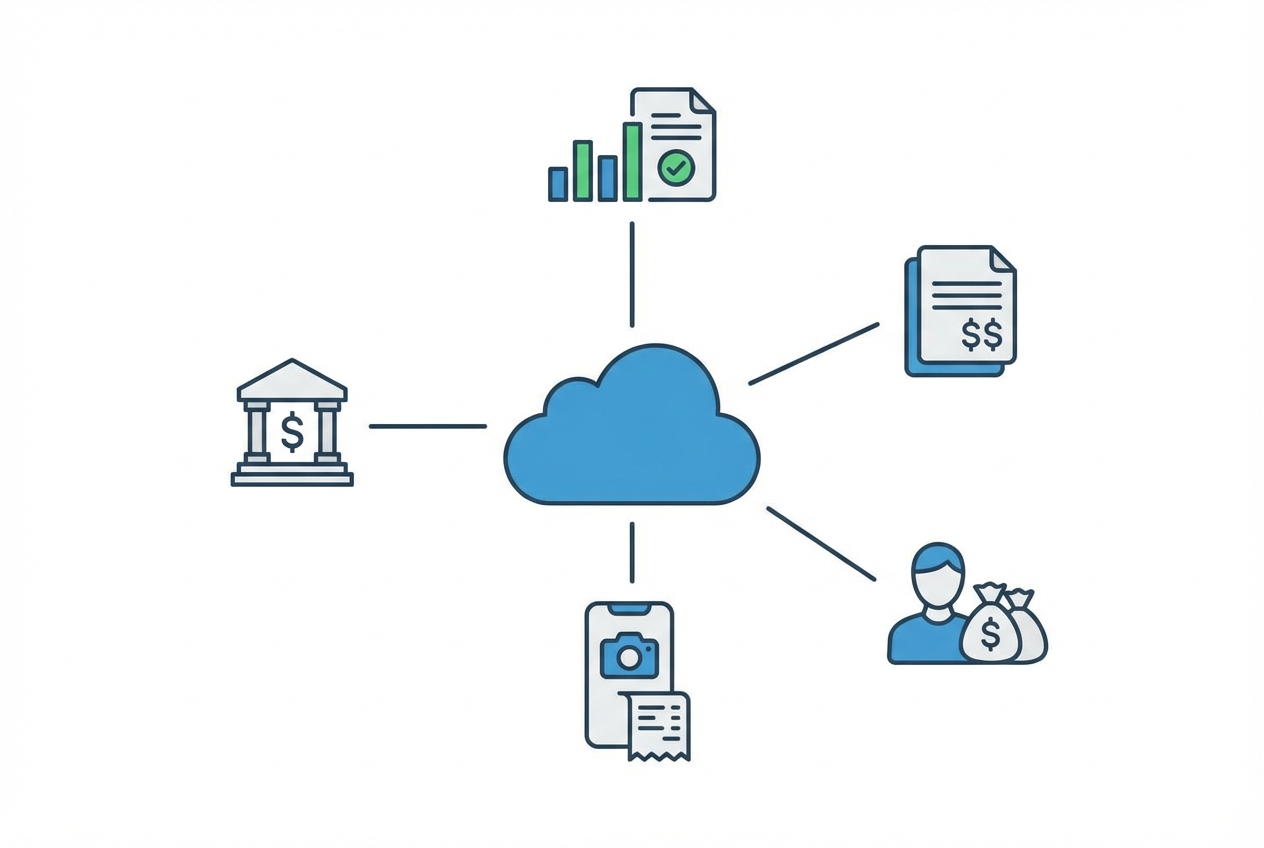
Pick one cloud accounting platform and treat it as the source of truth. For most small businesses, that is QuickBooks Online or Xero.
What to do:
-
Set up your accounts: Create or migrate your chart of accounts (your categories) so reporting is consistent.
-
Configure company settings: Set your fiscal year, tax settings, and reporting preferences to match your reality.
-
Invite the right people: Add your accountant or bookkeeper with permissions that fit their role.
-
Confirm integrations: Make sure your platform supports integrations (usually via an API, which is a way for tools to talk to each other).
What “good” looks like:
-
One source of truth: Everyone uses the same system instead of keeping side spreadsheets.
-
No shadow bookkeeping: You are not tracking “real books” somewhere else and hoping it matches later.
-
Clear workflow stages: Your platform has a clean flow like “For review” or “To categorize,” so nothing falls through.
If you are also building internal tools, this step pairs well with integrating AI into existing workflows.
Step 2: Connect Real-Time Bank Feeds
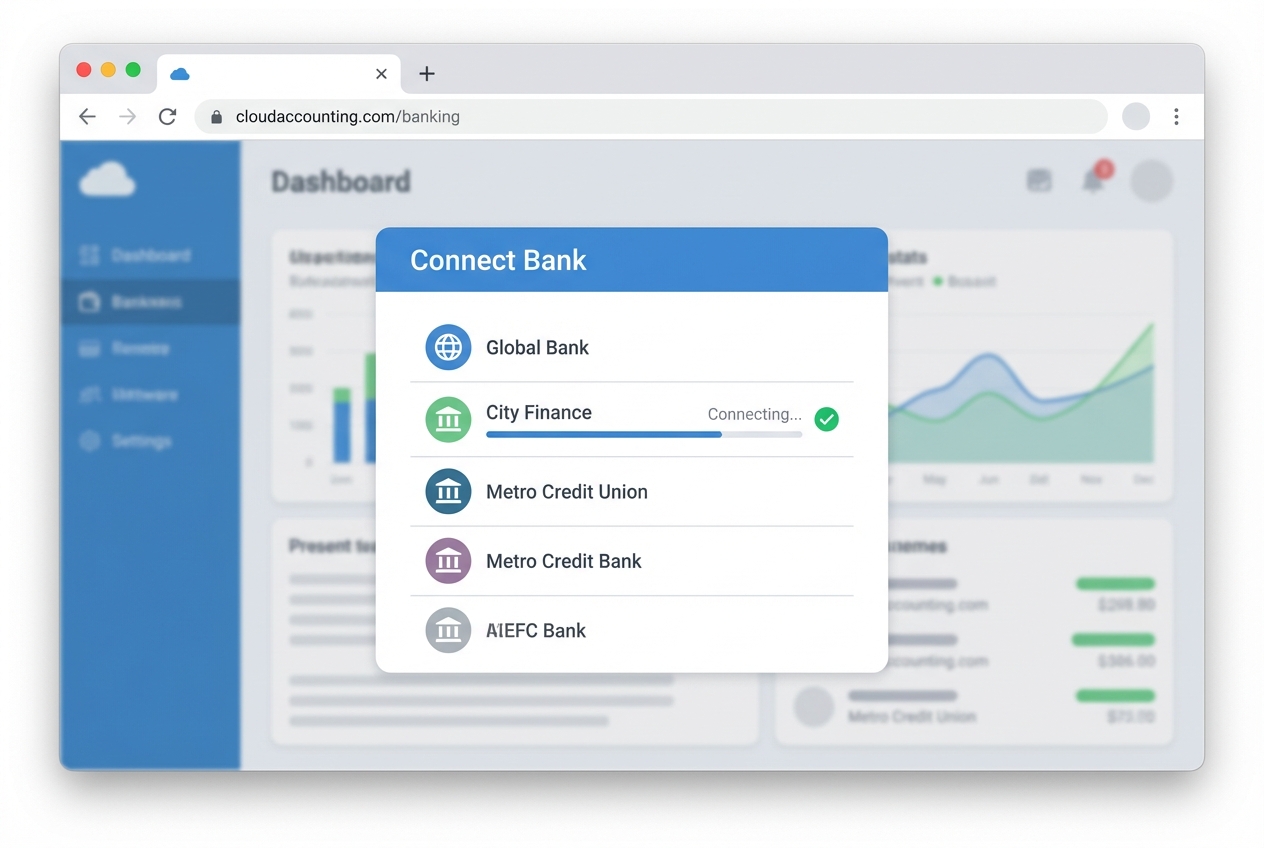
Stop downloading CSVs. That is where “I’ll do it later” turns into “I’m three months behind.”
What to do:
-
Connect bank and cards: Link business bank accounts and credit cards to your accounting platform.
-
Enable daily imports: Turn on automatic sync (most platforms refresh every 24 hours).
-
Prevent duplicates: Confirm the correct start date so you do not import transactions twice.
Operational tip:
- Schedule a weekly money hour: Even with automation, a short weekly review keeps things clean and reduces month-end stress.
Security tip:
-
Turn on MFA: Use multi-factor authentication on your banking and accounting accounts to reduce takeover risk.
-
Limit access: Give access only to people who truly need it, and review permissions regularly.
Step 3: Implement OCR for Receipt Management

Receipts are where bookkeeping goes to die. They are scattered across inboxes, glove compartments, and Slack messages.
Use an OCR tool such as Dext or Hubdoc to capture receipts and bills. These tools typically:
-
Read key fields: Pull vendor, date, amount, and tax from the document.
-
Attach proof: Link the original receipt to the transaction so audits are less painful.
-
Sync to your ledger: Push the extracted data into QuickBooks or Xero so you do not retype it.
What to do:
-
Create the receipts pipeline: Set up your dedicated receipts email (from the checklist) and use it everywhere.
-
Connect the tools: Link the OCR tool to your accounting platform so documents flow automatically.
-
Set a team rule: If you spend money, you forward or scan the receipt the same day.
When you might want a custom solution:
-
Complex operations: You have multiple revenue streams, multiple entities, or unusual approval flows.
-
Custom visibility: You want receipts and invoices to route into a custom dashboard, not just into accounting.
-
Tighter controls: You need role-based approvals, thresholds, and audit trails that match how you actually spend money.
Step 4: Configure Rule-Based Categorization
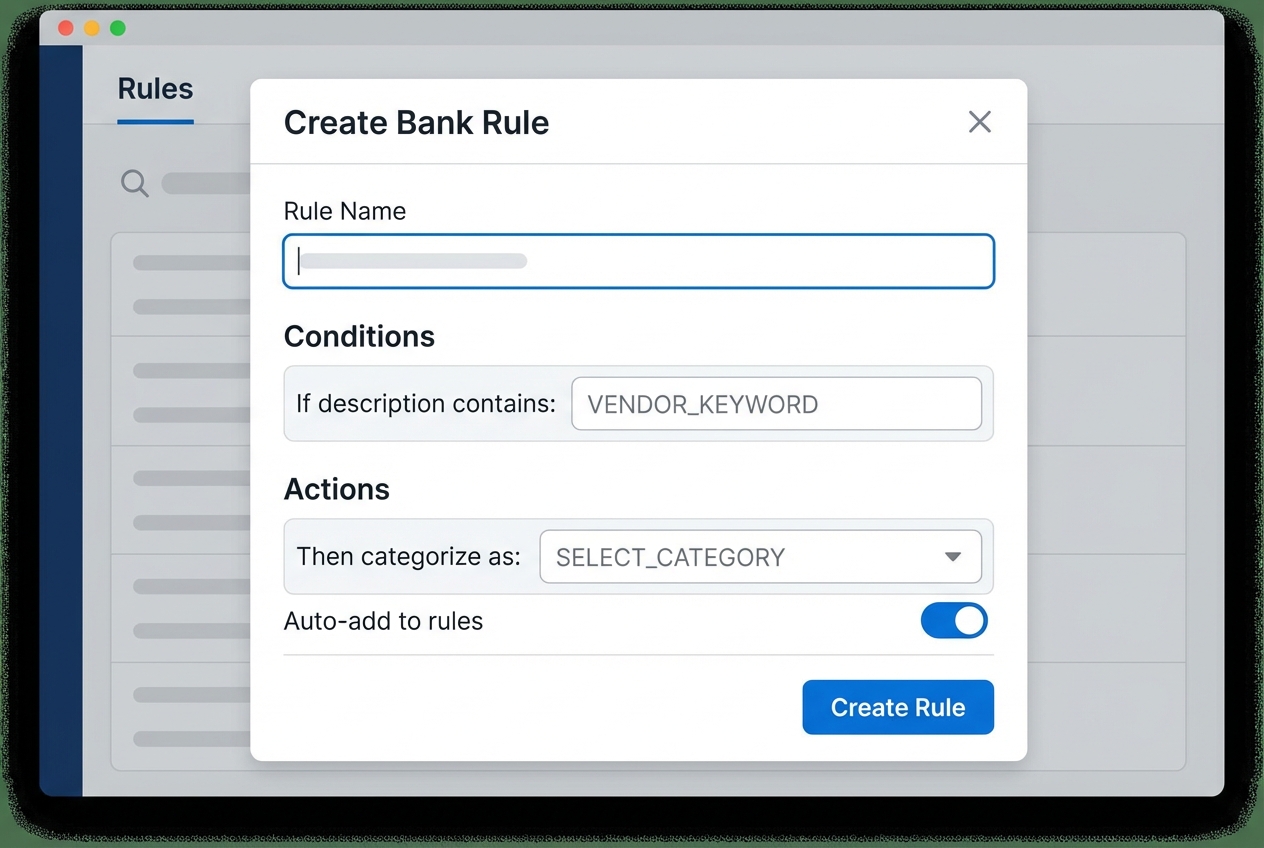
Rules are the fastest path to “80% less clicking.”
What to do:
-
Create recurring rules: Build bank rules for recurring vendors and transaction types you see every week.
-
Test in small batches: Apply rules to a small set first so you can confirm results before scaling.
-
Use auto-add carefully: Only auto-add rules you fully trust, because mistakes get multiplied fast.
Examples of strong rules:
-
Vendor-based rules: If the description contains “Adobe,” categorize as Software Subscriptions.
-
Amount and vendor rules: If “Google Workspace” and amount equals $X, categorize as Software Subscriptions.
-
Card-specific rules: If the transaction comes from your shipping card, default to Shipping and Postage unless you override it.
How to avoid messy books:
-
Start simple: Do not create 50 rules on day one, because you will forget what half of them do.
-
Review weekly: Check your “uncategorized” list every week until it stays small.
-
Keep categories lean: Too many categories makes reporting harder, not better.
This mindset is part of a bigger shift toward systemized operations and AI for small business growth.
Step 5: Automate Invoicing and Collections
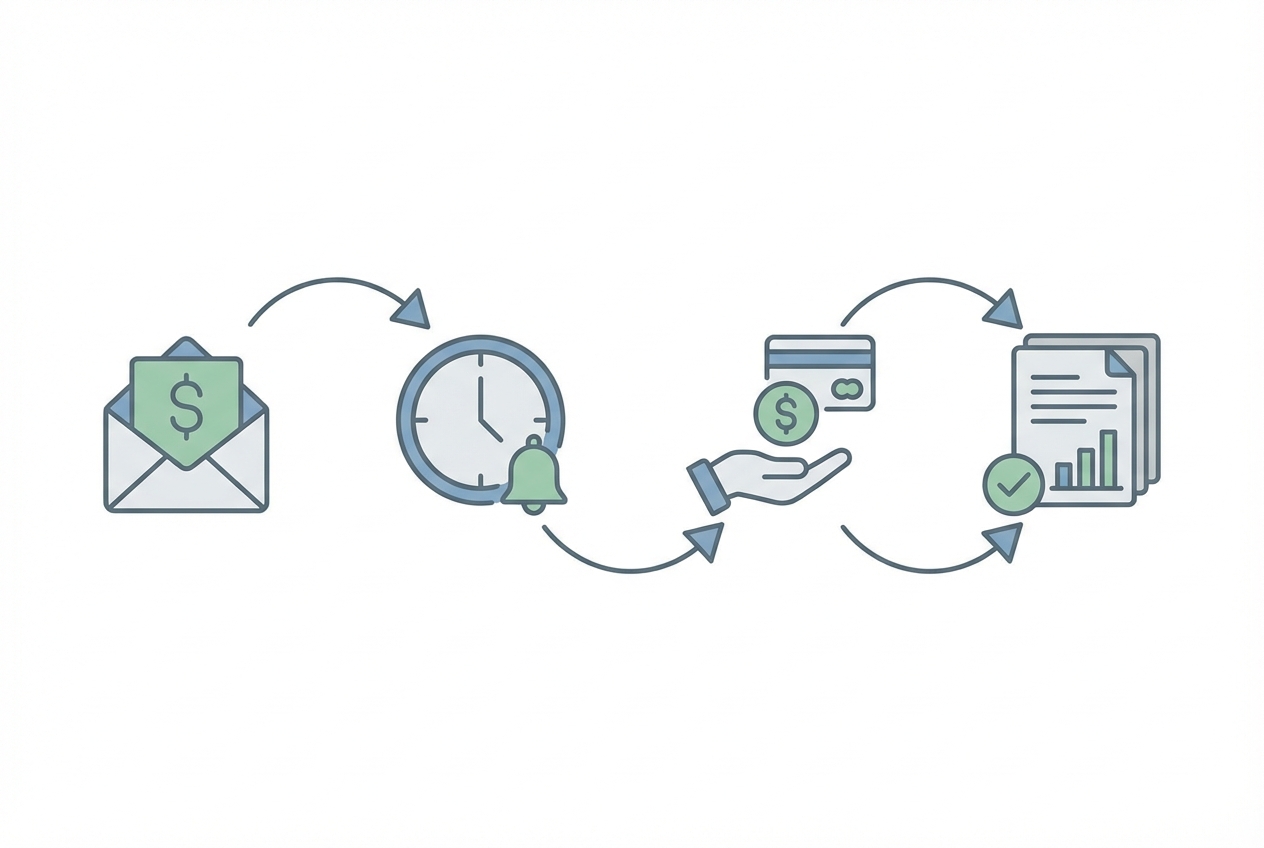
Revenue solves a lot of stress, but only if you actually collect it.
What to do:
-
Set recurring invoices: Create recurring invoices for retainers and ongoing service clients.
-
Enable online payments: Turn on ACH and cards (and decide when fees are worth it).
-
Automate reminders: Schedule reminders (example: 3 days before due, on due date, 7 days late) so you do not chase manually.
-
Offer auto-pay: Use auto-pay for clients who agree, especially for monthly services.
Practical reminders:
-
Make invoices crystal clear: Confusing invoices get delayed, disputed, or ignored.
-
Treat recurring billing as essential: If you sell subscriptions or productized services, recurring invoicing is non-negotiable.
If you are productizing your expertise and building a more scalable operating model, the automation ideas here pair well with the future of digital transformation and AI automation for business.
Choosing the Best Bookkeeping Automation Software
Look for tools that integrate deeply, not “sort of” connect. A shallow integration creates more cleanup later.
Here’s a simple comparison to guide your shortlist:
| Use case | Best starting point | Why it works |
|---|---|---|
| Small business core accounting | QuickBooks Online or Xero | Strong ecosystem, bank feeds, reporting, lots of integrations |
| Receipt capture and OCR | Dext or Hubdoc | Fast capture, document matching, audit-friendly attachments |
| Expense management | Ramp or Brex | Corporate cards with controls, cleaner expense workflows |
| Scaling custom workflows | Quantum Byte | Build custom approval flows, dashboards, and AI categorization logic that fits your business |
Where this gets real: if you have a unique workflow (multi-step approvals, job costing, messy receipt sources, multiple entities), off-the-shelf tools can hit a wall. That is where a custom automation layer pays off because it matches how your business actually runs, not how a template assumes it runs.
If you want to explore what that could look like, you can start a build packet here.
FAQs
Can bookkeeping be fully automated?
Most data entry can be heavily automated, sometimes close to 100% for simple businesses. But you still need human oversight for:
-
Account mapping: Early on, you must confirm transactions are going to the right accounts so rules learn the right patterns.
-
Tax judgment: Deductibility and treatment (expense vs. asset, sales tax, payroll handling) still needs professional judgment.
-
Edge cases: Owner draws, loans, refunds, and reimbursements often require context that automation does not know.
Think “automation first, human verification always.”
What is the best AI for bookkeeping?
It depends on your stack. Some tools specialize in AI categorization and review workflows. Others focus on receipt extraction.
Opinion: the “best” AI is the one that matches your real workflow and reduces review time without creating new errors. Start by getting your data clean, then choose tools that reduce exceptions and speed up approvals.
Does automation replace the need for a bookkeeper?
No. It upgrades the role.
A modern bookkeeper becomes:
-
An exception reviewer: They focus on the unusual items, not routine typing.
-
A rules builder: They create and maintain rules that keep the system accurate over time.
-
A financial partner: They interpret the numbers, spot risks early, and help you make better calls.
Is bookkeeping automation secure?
Yes, when you set it up correctly. Modern platforms use encryption, permissions, and MFA. Your job is to configure access wisely:
-
Use MFA everywhere: This is the fastest way to reduce account takeover risk.
-
Apply least-privilege access: Give each person only what they need, and nothing more.
-
Audit connected apps: Review integrations quarterly and remove old or unused connections.
How much does it cost to automate bookkeeping?
Costs vary by tools and complexity, but most small businesses can start with a modest monthly stack. In many cases, the time you save offsets the subscriptions within a few months.
A simple way to calculate ROI:
-
Estimate time spent: Count hours per month you spend on bookkeeping admin.
-
Price your time: Multiply by your hourly value (or what it costs to delegate).
-
Compare to software cost: Stack up your monthly subscriptions and see the tradeoff.
If you save 5 to 10 hours a month, you usually win.

