
Journal entry automation has become a baseline capability for scaling finance teams. When volumes rise, manual entries turn into bottlenecks, late nights, and avoidable risk.
Harvard Business Review points out that the finance function of the future is built on automation and fast innovation, not manual workarounds and heroics at month-end. That is exactly why journal entry automation is often the first high-impact move: it removes repetitive work, cuts errors, and makes your close more predictable.
Recent advances in agentic AI (AI that can take multi-step actions toward a goal) and intelligent document processing (IDP) have pushed automation beyond spreadsheet macros. You can now build workflows that behave more like a careful accountant: pulling source data, applying mapping rules, validating entries, and routing approvals with a clean audit trail.
This guide walks you through the benefits, types, and exact steps to implement journal entry automation in your organization, with a practical roadmap you can follow.
What is Journal Entry Automation?
Journal entry automation is the use of software, predefined rules, and artificial intelligence to create, validate, and post accounting entries directly into the general ledger without manual intervention.
Instead of an accountant building a journal in Excel, re-checking formulas, and uploading a file, an automated system:
-
Data sourcing: Pulls data from source systems (banking, payroll, billing, inventory) so your journals start from the same “system of record” every time.
-
Accounting logic and mapping: Applies rules that translate real-world activity into correct accounts and dimensions (department, class, location).
-
Validation checks: Confirms the entry is complete and balanced before it ever touches your general ledger.
-
Approval routing: Sends the journal to the right approver based on policy, risk, and dollar thresholds.
-
Posting and audit logging: Posts to your ERP, then records what happened (who approved it, source links, timestamps) for audit.
How to Implement Journal Entry Automation: A Step-by-Step Guide
Step 1: Audit Your Current Manual Processes
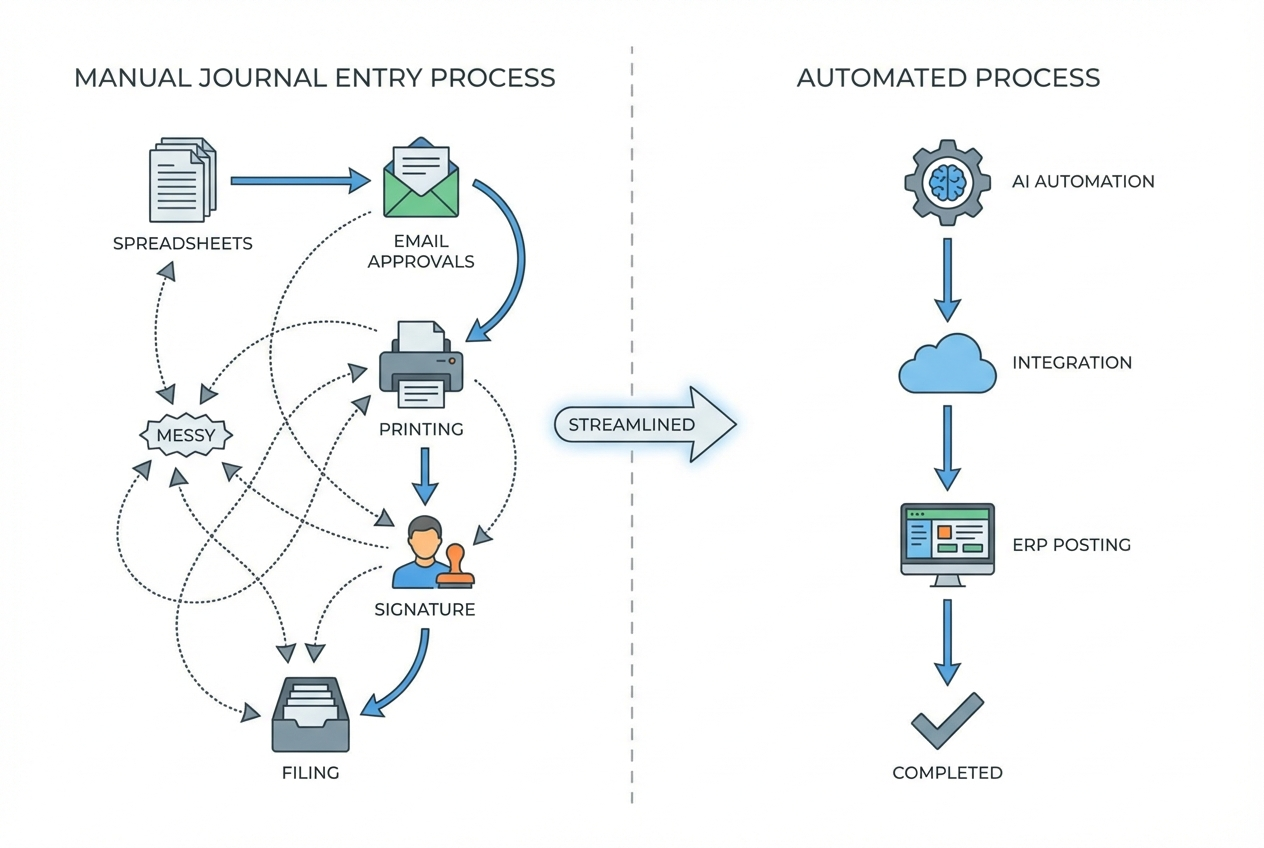
You cannot automate what you have not mapped.
Start by listing every manual journal entry done during month-end close, and then document:
-
Data source: Where the data comes from (system report, spreadsheet, email, invoice PDF).
-
Preparer: Who creates the entry and how long it usually takes.
-
Approver: Who reviews it, what they check, and what they often kick back.
-
Posting method: Whether it is uploaded, imported, or keyed manually.
-
Failure points: What usually goes wrong (late inputs, missing support, wrong mapping, unclear cutoff).
This is also where you identify the bottlenecks where process automation will have the highest ROI.
To keep this step practical, capture two extra details that teams often miss:
-
Materiality and risk: Which entries can safely auto-post after validation, and which must always route to a controller.
-
Supporting evidence: What the auditor would ask for (source report link, calculation file, approval record), and where it lives today.
Practical tip: aim for a shortlist of 3 to 5 journal types to automate first. If you try to automate everything at once, you will get stuck in exceptions, politics, and scope creep.
Step 2: Standardize Templates and Rules
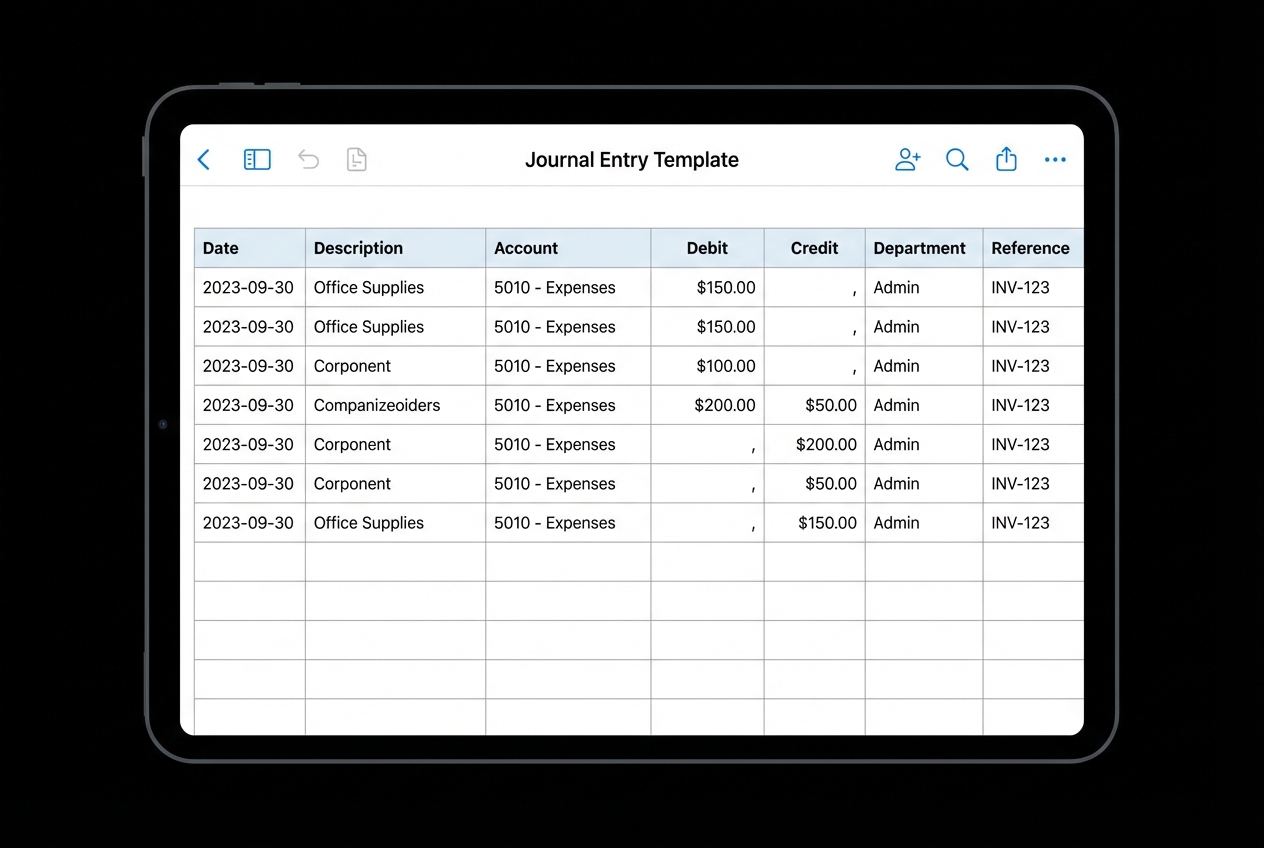
Automation only works when your inputs are predictable.
Create standardized templates for each entry type. Even if you plan to pull data via API later, templates force you to define the structure up front:
-
Header fields: Date, period, entity, currency, reference ID, and description.
-
Line fields: Account, debit, credit, department, customer, project, and any other dimensions your ERP requires.
-
Support requirements: Source report link, calculation method, owner, and any required attachments.
If you are using intelligent document processing, your templates should match what your IDP model expects, so it can extract the right fields consistently.
What “rules” typically include:
-
Account mapping rules: A clear mapping from source categories to GL accounts (for example, “Stripe fees” always map to a specific expense account).
-
Cutoff rules: Timing logic (for example, “recognize revenue daily” or “accrue unpaid expenses at period end”).
-
Reversal rules: Which journals reverse automatically next period, and on what date.
Two tactical guardrails that make rules easier to maintain:
-
Name your rules like a policy: Example: “Accrue shipping costs when shipment date is in period but bill is missing.”
-
Store a rule owner: One person accountable for changes, so you avoid “rule drift” over time.
Step 3: Integrate Data Sources with Your ERP
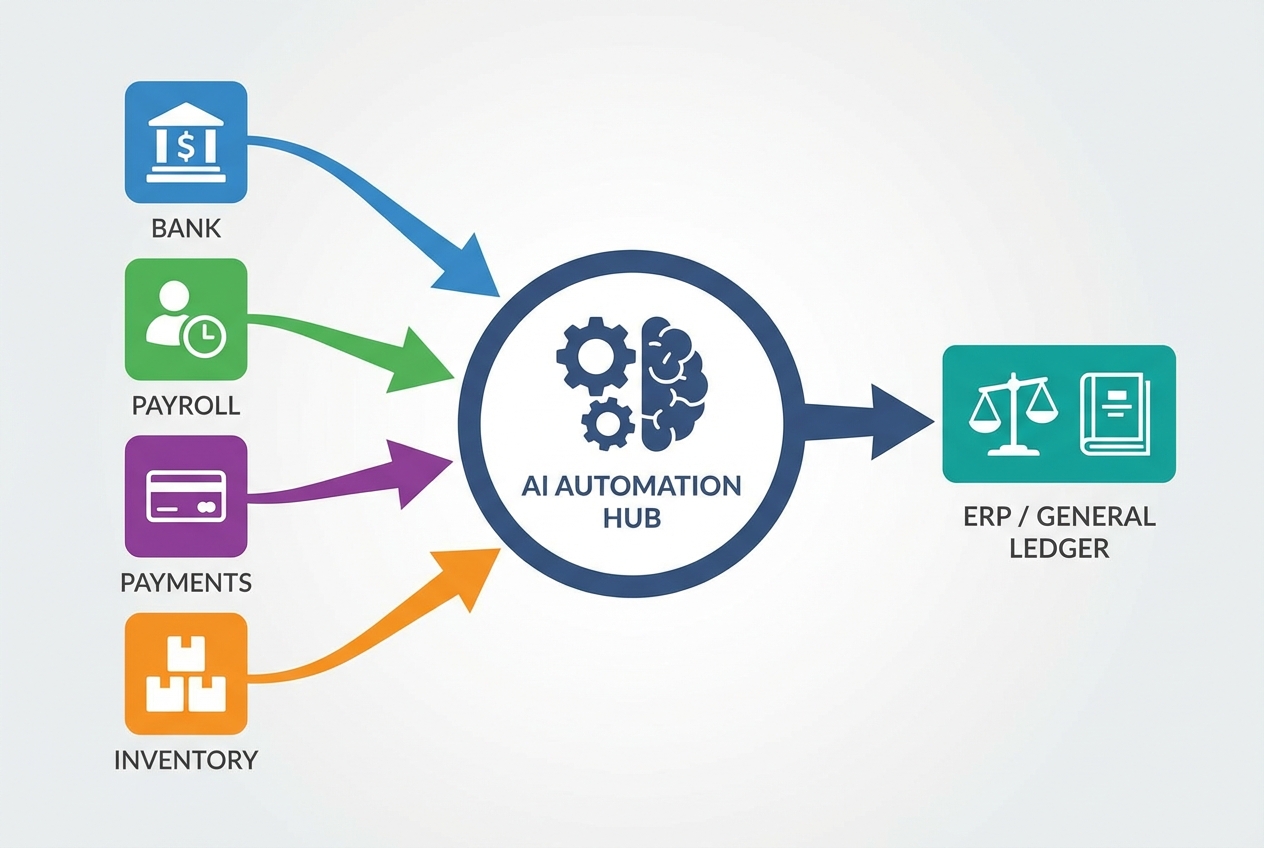
Templates and rules are the brain. Integrations are the bloodstream.
Connect your automation tool to the systems that generate accounting facts. This could be bank feeds, HR software, billing platforms, or inventory tools. You can do this with APIs (cleanest) or APIs or RPA (helpful when a tool lacks a good API).
Start with the sources that drive the most journal volume:
-
Bank and card feeds: Deposits, fees, interest, and cash movement that supports accruals and reconciliations.
-
Billing and subscription platforms: Stripe, Chargebee, Recurly, Shopify, and other systems that create revenue and fee activity.
-
Payroll and HR: Gusto, ADP, Rippling, and other systems that produce payroll journals and allocations.
-
Inventory and fulfillment (if relevant): COGS, inventory movements, and shipping costs.
-
Time tracking and projects: Billable hours, WIP, and project dimensions for service businesses.
A simple integration pattern that works well for most teams:
-
Extract: Pull source totals on a schedule (daily or weekly).
-
Transform: Apply mapping rules and create a “ready-to-post” journal package.
-
Load: Post via ERP API, or create an import file that follows your ERP journal import format.
-
Reconcile: Store the source totals and the posted journal ID in one place, so you can trace and prove completeness.
Step 4: Configure Automated Validation and Approval Workflows
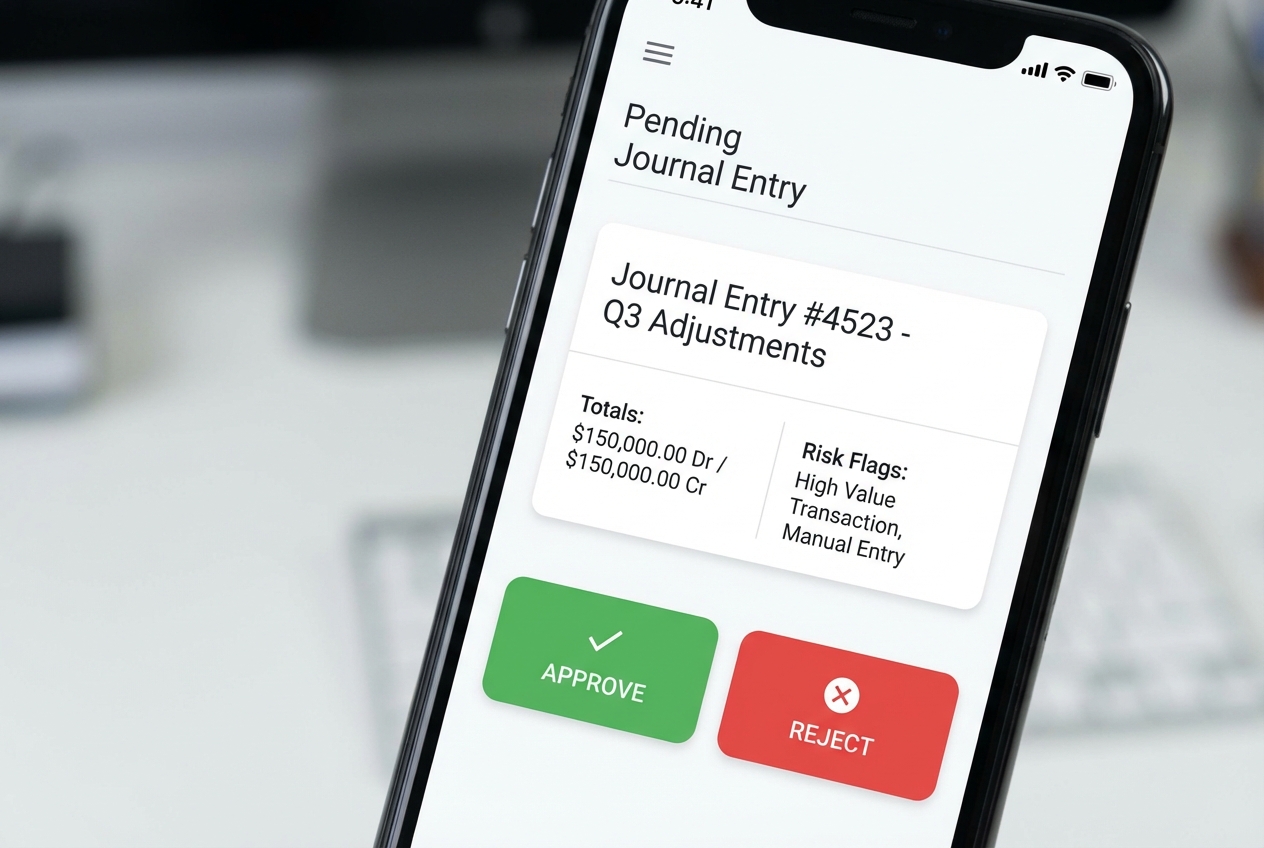
This is where automation earns trust.
Set validation rules that match your accounting policy and control environment:
-
Balancing checks: Confirm debits equal credits before routing or posting.
-
Master data checks: Validate account codes and dimensions (department, location, class) against your ERP lists.
-
Period controls: Block posting to closed periods and enforce posting dates that match cutoff rules.
-
Threshold controls: Auto-post under a limit, route above a limit, and require extra support for higher-risk entries.
-
Exception handling: Define what happens when data is missing or ambiguous (pause, route to reviewer, request clarification).
Then configure approval routing so journals land with the right approver at the right time.
A simple approval design that works well:
-
Low-risk recurring entries: Auto-post after validation.
-
Medium-risk entries: Auto-route to the accounting manager with required support attached.
-
High-risk or unusual entries: Require controller approval, plus documented rationale and source links.
Step 5: Establish Continuous Monitoring and Audit Trails
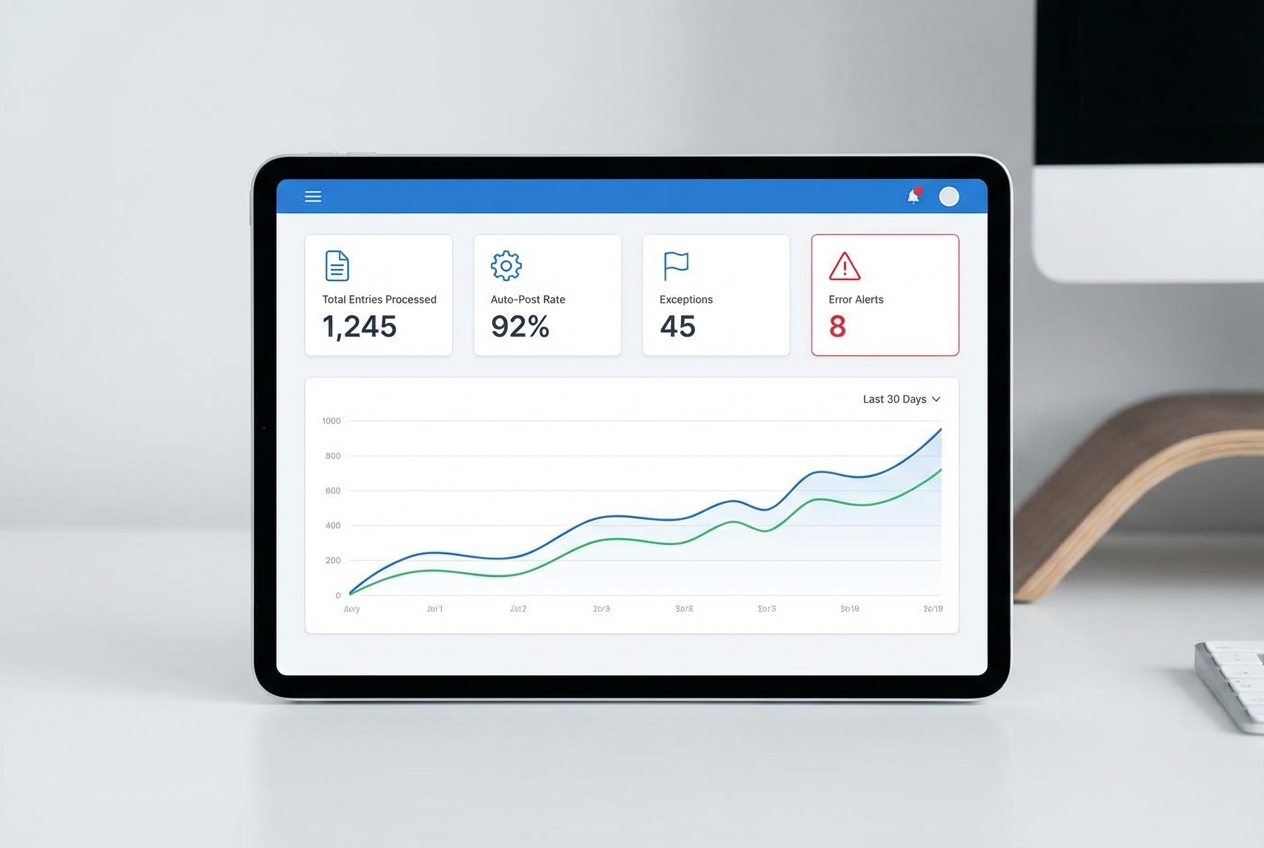
Journal entry automation should never be “set it and forget it.”
You need monitoring so you can trust the system, improve it, and stay audit-ready:
-
Operational dashboard: Track total entries processed, auto-post rate, and exceptions by entry type.
-
Alerts and retries: Get notified when source data is missing, a posting fails, or a threshold rule is triggered.
-
Audit trail and evidence: Store who approved, what changed, timestamps, and links to supporting reports.
-
Rule versioning: Keep a changelog of rule updates so you can explain “what changed and why” across periods.
This supports financial reporting compliance and makes tax season less painful.
Opinion: treat your automation rules like product code. Track changes, test before rollout, and document the reason for every update. That is how you prevent silent drift.
Why You Should Automate Journal Entries Now
-
80% reduction in manual effort: Automation can reduce manual journal entry effort by up to 80%, which frees your team to focus on analysis and planning.
-
Faster close cycles: Organizations using automation can reduce close time by around 30% by posting in near real-time and reviewing exceptions earlier.
-
Enhanced accuracy: Fewer copy-paste steps means fewer “fat-finger” errors, and more trust in your financial data for decision-making.
Common Use Cases for Journal Entry Automation
These are the best entry types to automate first because they repeat and they follow patterns.
-
Depreciation and amortization: Automatically calculate and post monthly schedules from your fixed asset register, using consistent methods and clean support.
-
Accruals and reversals: Create period-end accruals from source data (like uninvoiced expenses), then reverse them automatically on day one of the next period.
-
Intercompany transactions: Auto-balance due to/from accounts across entities so you reduce reconciliation time and reduce out-of-balance risk.
-
Payroll allocations: Split payroll by department, location, or project using HR system data, then route for approval only when headcount or totals deviate from expectations.
-
Prepaids and expense reclasses: Post monthly amortization of prepaid expenses and automate reclass rules (for example, vendor categories that should hit a different GL account).
-
Payment processor fees and chargebacks: Pull Stripe (or other processor) totals, map fees and chargebacks consistently, and post a daily or weekly summarized journal.
If you want to build a simple internal "journal package generator" that pulls totals from Stripe, payroll, or banking tools, applies your mappings, and produces an approvable journal with a full audit trail, Quantum Byte is a strong fit for that build, able to create a prototype within a couple minutes.
Here is a simple way to think about it:
| Use case | What gets automated | Best automation approach |
|---|---|---|
| Depreciation | Monthly calculations + recurring posting | Rules + scheduled run |
| Accruals | Pull source totals + create reversing entries | Rules + exception review |
| Intercompany | Matching entries across entities | Rules + validation controls |
| High-volume sales | Summaries from payments/billing tools | API integration + mapping rules |
| Payroll allocations | Allocation logic + variance checks | API integration + approval thresholds |
Frequently Asked Questions
Can journal entries be automated?
Yes. Journal entries can be automated with software that uses rules and AI to pull data from source systems, validate it, and post it into your ERP or general ledger.
What are the benefits of journal entry automation?
The main benefits are fewer errors, a faster close, and more time for higher-value work like analysis, forecasting, and partnering with leadership.
It also makes your process more consistent. Consistency is what reduces stress when you are scaling.
Why should my company embrace journal entry automation software?
Manual entry does not scale. It increases risk as volume grows, and it makes your close dependent on specific people and tribal knowledge.
Automation helps you build a system you can trust. That is how you stay audit-ready, even as your business moves faster.
What types of journal entries can be automated?
Recurring entries (depreciation), high-volume entries (daily sales summaries), and structured complex entries (intercompany transfers) are all strong candidates.
A good rule: if the entry happens every month and the logic is stable, automate it.
How does QuickBooks handle journal entry automation?
QuickBooks supports recurring journal entries and bank feed rules. That can cover basic needs for smaller teams.
But if you need enterprise-level validation, exception handling, and AI-driven mapping across multiple tools, you usually add a dedicated automation layer or integrate a custom workflow on top.

