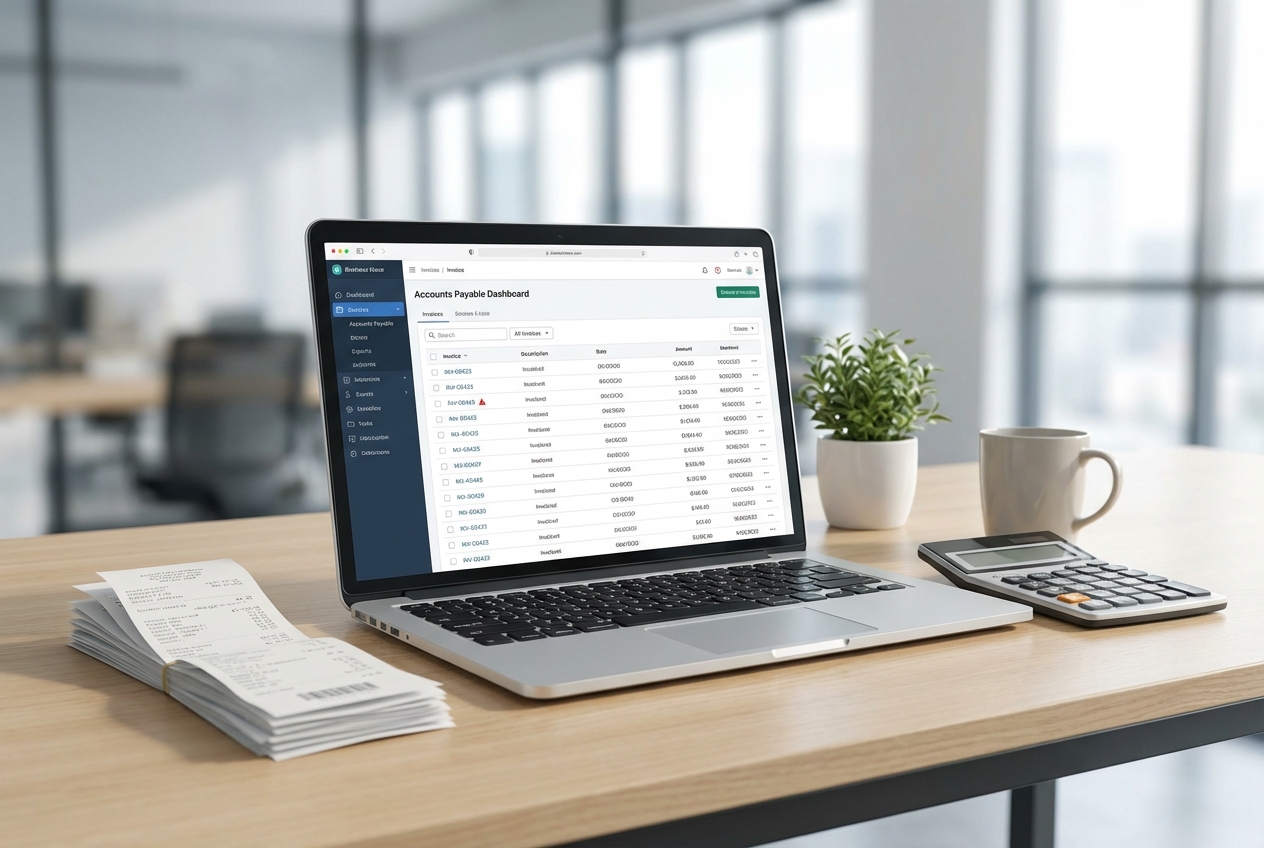
In accounts payable, one small slip can turn into a very real cash leak. A duplicate invoice comes in, it looks “close enough,” and it gets paid. Then it happens again next week. Rather than striving for a perfect process immediately, implementing a system that catches expensive mistakes at the final stage is ideal, before money leaves your account.
Industry estimates put duplicate payments at roughly 0.1% to 0.05% of annual spend, which climbs fast as your vendor count and invoice volume grows. The good news: modern workflows and AI-driven finance solutions can shift you from “find errors in an audit later” to “block them in real time.”
This guide walks you through a practical, step-by-step setup for duplicate invoice detection. You can implement the early steps in days, then level up with AI when you are ready.
What is Duplicate Invoice Detection and Why It Matters
Duplicate invoice detection is the process of spotting invoices that represent the same underlying charge, before you approve and pay them.
There are two terms people mix up:
-
Duplicate invoice: Two documents that refer to one transaction. This can be accidental (vendor re-sends) or intentional (fraud). It can also be a “near duplicate” where fields differ slightly.
-
Duplicate payment: The money actually leaves twice. This is the damage you are trying to prevent.
Why it happens so often:
-
Manual data entry errors: A common root cause. One invoice arrives by email, then a copy arrives in the mail, and two different people enter it. Brex calls out data entry mistakes as a leading driver of duplicates.
-
Inconsistent formats: Vendors use different invoice number styles, or your team adds prefixes and suffixes.
-
Vendor master issues: “Dell Inc.” and “Dell Computer Corp” might be the same supplier, but your system treats them as different.
-
Approval pressure: When teams are busy, “looks fine” becomes the default.
Your goal is simple: make the safe path the easy path.
Step-by-Step Guide to Effective Duplicate Invoice Detection
Step 1: Centralizing Your Invoice Intake
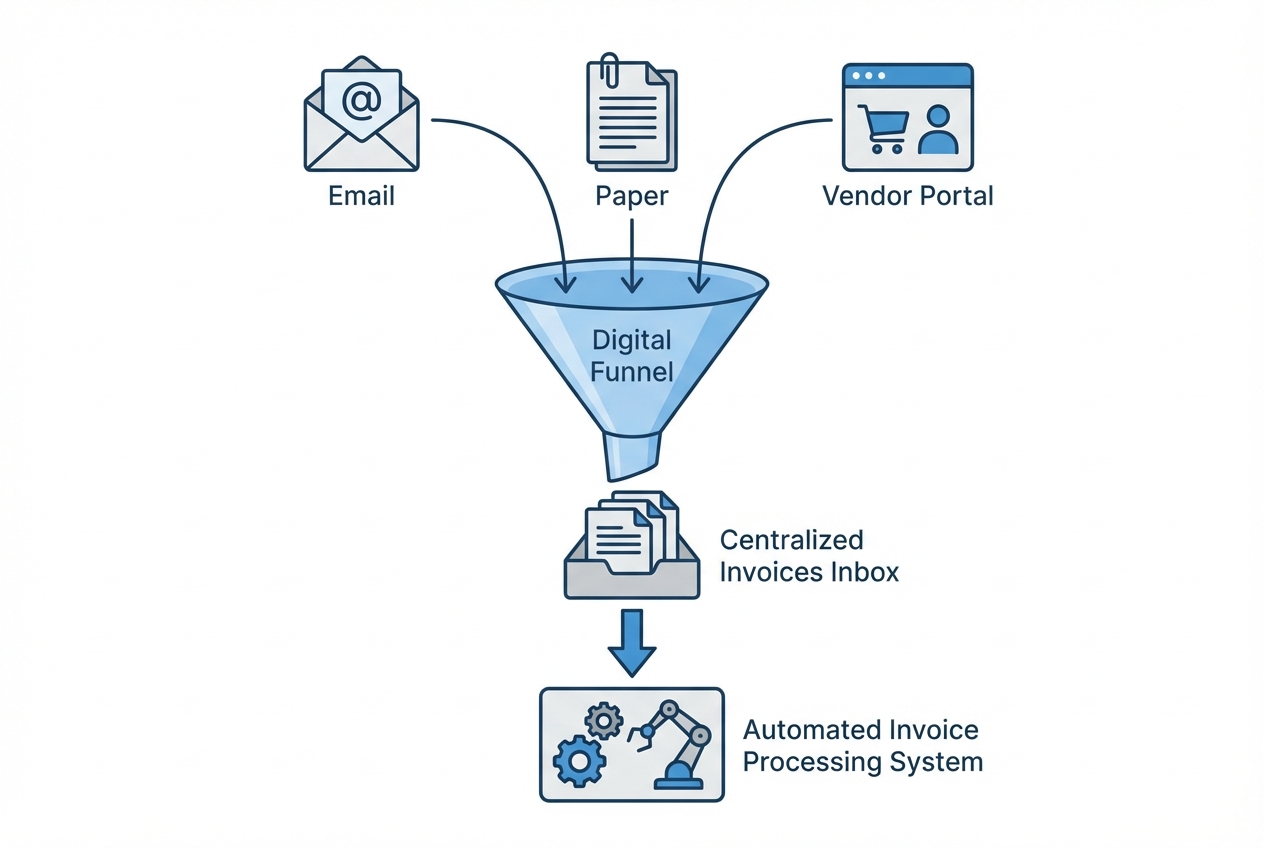
If invoices enter your business through five doors, detection becomes a guessing game. Centralization is the foundation.
You want a single intake funnel where everything lands first:
-
Email invoices: Invoices received via AP email inboxes and forwarded from teammates.
-
Paper invoices (scanned): Physical mail that gets scanned or photographed and uploaded.
-
Vendor portal invoices: PDFs downloaded from supplier portals and uploaded manually.
-
EDI feeds: Electronic Data Interchange invoices that arrive as structured data (if you have them).
Then, and only then, do you route invoices to coding, approvals, and payment.
How to implement it (fast):
-
One inbox: Set up a dedicated AP email (example: invoices@yourcompany.com). Route all invoice emails there.
-
One scanning path: If paper exists, scan to that same inbox or to a shared intake folder.
-
One intake system: Feed the inbox into an automated invoice processing system so invoices become structured records, not random PDFs.
If you are a small team, centralization alone can cut duplicates because it prevents “two people, two entries.”
Where Quantum Byte can help (only if it fits your situation): if your intake is spread across multiple tools, you can build a lightweight intake app that pulls invoices into one queue, adds vendor metadata, and pushes clean records into your accounting system. This is the kind of workflow that is realistic to prototype quickly.
Step 2: Implementing Exact Field Matching
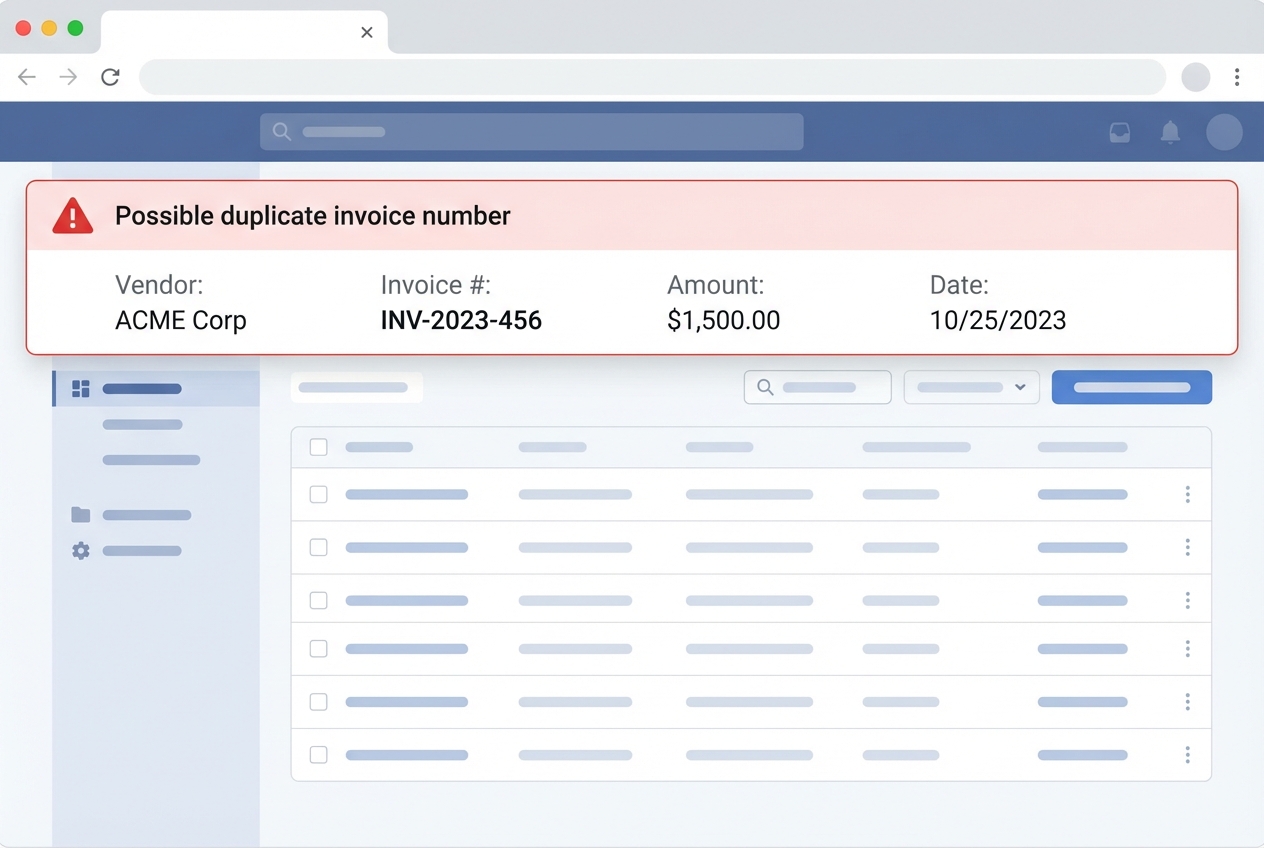
Exact matching is your first line of defense. It is also where most teams stop, which is why duplicates still sneak through.
At minimum, match on these fields:
-
Vendor identifier: Use Vendor ID when it is reliable, or a standardized vendor name when it is not.
-
Invoice number: The primary unique key you expect a vendor to never reuse.
-
Invoice date: Helpful for date-window checks and spotting “resent” invoices.
-
Total amount: Often the fastest way to confirm the “same invoice, same dollars” scenario.
-
Currency: Critical if you pay vendors in multiple currencies, since “1000” is not always “1000.”
-
Purchase order number (if applicable): Adds strong context when duplicates involve PO-based buying.
This approach catches the obvious duplicates: same invoice number, same vendor, same amount.
Exact match rules to start with:
-
Vendor + invoice number: If both match an existing record, flag it.
-
Vendor + invoice number + amount: Stronger, reduces false positives.
-
Vendor + amount + date window: Useful when invoice numbers are missing or inconsistent.
Three-way match note: A three-way match checks that (1) the purchase order, (2) the receiving record, and (3) the invoice agree. It is great for verifying legitimacy, but it does not automatically solve near-duplicate invoices unless your system also runs duplicate checks.
Step 3: Utilizing AI for Fuzzy Match Logic
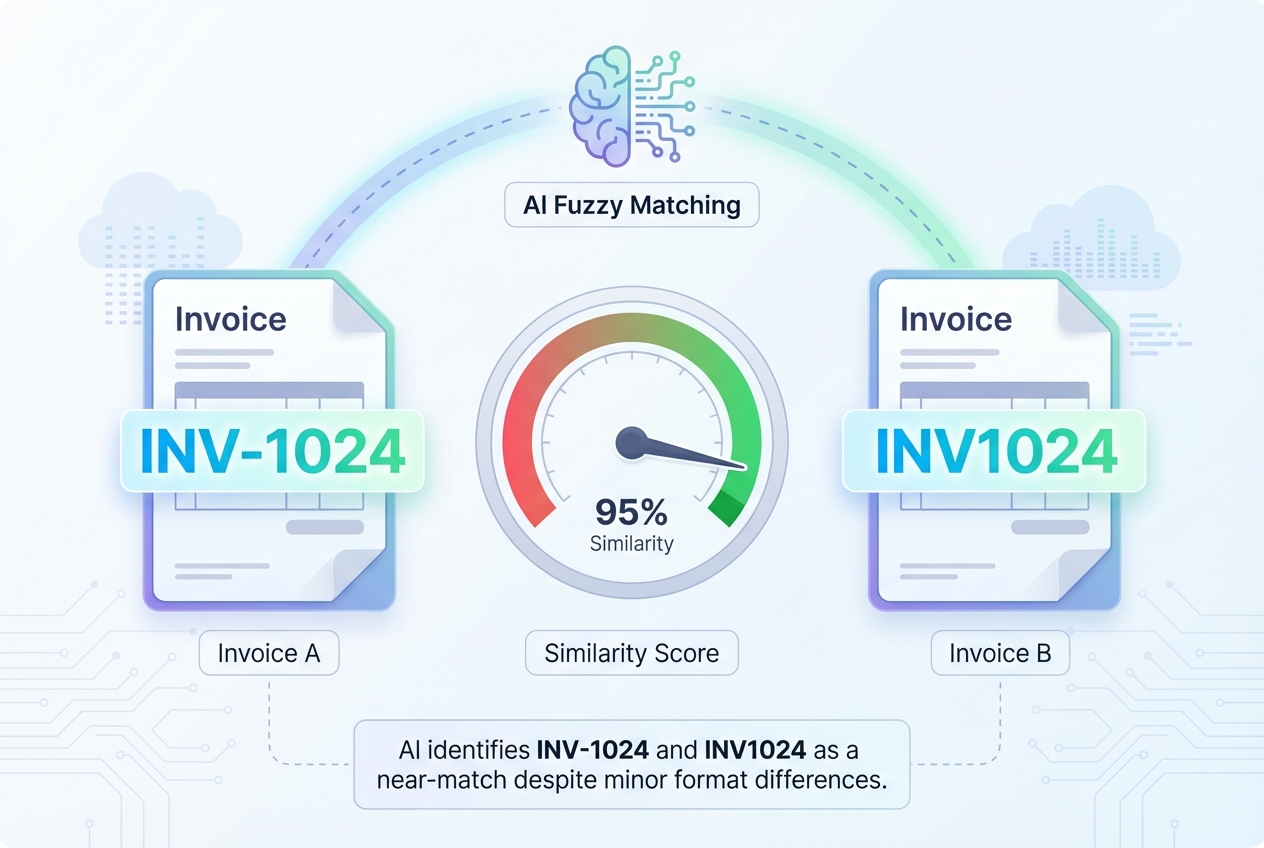
Exact matching is strict. Real life is messy.
Fuzzy matching looks for near-duplicates, where the invoice is the same but the data is slightly different:
-
Invoice number formatting drift:
INV-1024vsINV1024, where punctuation or spacing changes. -
Suffix or revision variants:
INV-1024-AvsINV-1024, where a vendor adds a letter for a resend or revision. -
Reissued invoice numbers: The vendor re-sends the same charge but assigns a different invoice number.
-
Manual entry variations: A clerk types
1024instead ofINV-1024, or transposes characters.
AI helps because it can score similarity, not just equality. Oversight also highlights the importance of looking at invoices with close dates and identical amounts to find duplicates that basic checks miss.
Here is a practical way to think about it:
| Approach | What it matches | What it catches well | What it misses | Best use |
|---|---|---|---|---|
| Exact match | Identical values (vendor, invoice #, amount) | Straight duplicates, resends with same invoice # | Formatting differences, reissued invoices, vendor name drift | Your baseline rules in ERP |
| Fuzzy match | Similar values (string similarity, date windows, amount tolerance, vendor clustering) | Near-duplicates, human entry variation, “same amount same week” cases | Needs tuning, can create false positives without thresholds | High-volume AP, messy vendor data, growth stages |
Fuzzy match rules that work in the real world:
-
Invoice number normalization: Remove spaces, dashes, and prefixes before comparing.
-
Amount tolerance (careful): For some vendors, allow tiny differences (like tax rounding). Set a tight limit.
-
Date window: Flag duplicates within a time window (example: 0 to 14 days).
-
Vendor aliasing: Treat “ACME LLC” and “ACME, L.L.C.” as the same entity once verified.
Opinion: if you process more than a few hundred invoices a month, fuzzy matching is worth it because it reduces the mental load on your AP team. You stop relying on “someone noticing.”
If you want to build this into a custom workflow, Quantum Byte can help you create a customized rules engine with an AI review layer. The advantage is you can adapt it to your vendor reality, instead of forcing your process into a generic template.
Step 4: Leveraging OCR and Data Extraction
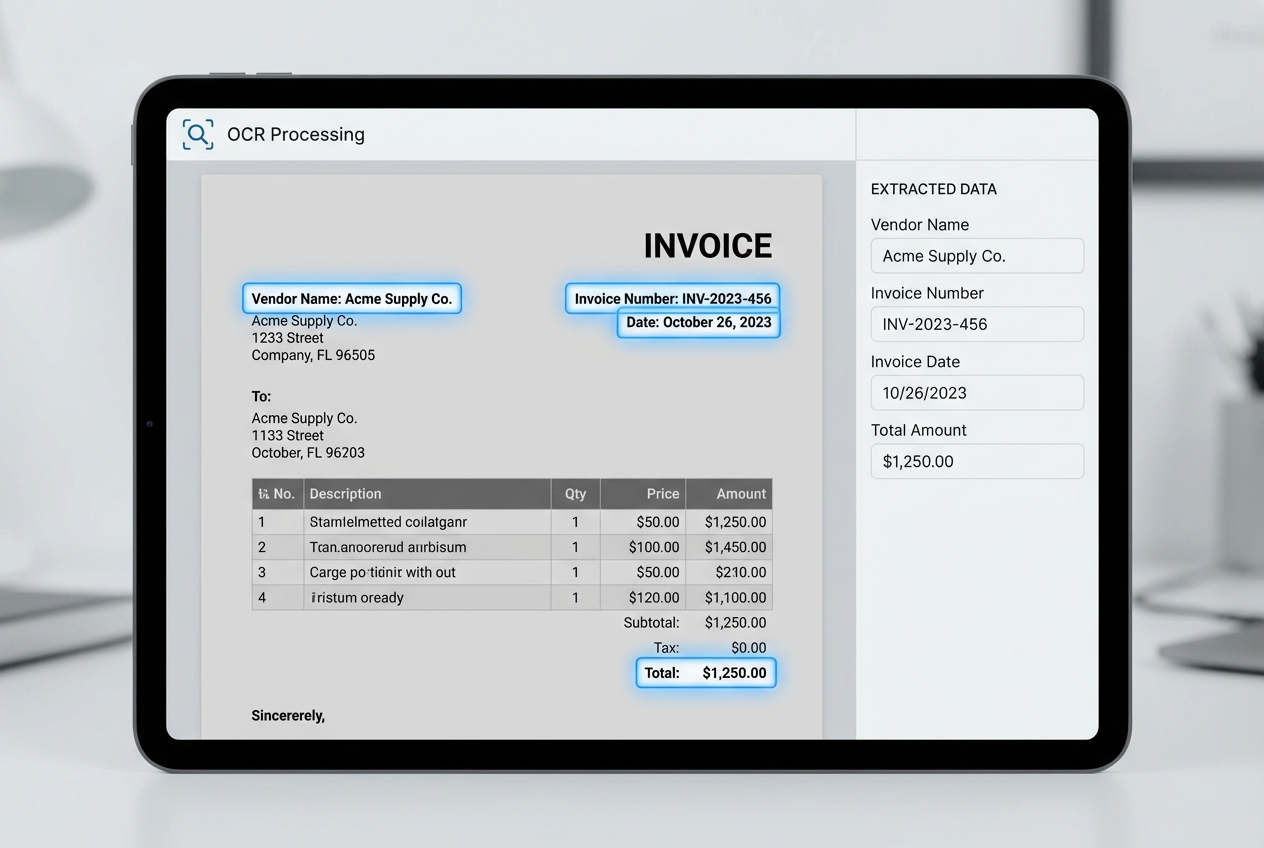
Detection only works if your invoice data is searchable and consistent.
If invoices live as PDFs in email threads, you cannot reliably compare them. This is where OCR comes in.
Optical character recognition (OCR) reads text from a scanned invoice or PDF and turns it into structured fields like:
-
Vendor name: The supplier identity that you match and cluster across invoices.
-
Invoice number: The key field for both exact and fuzzy duplicate checks.
-
Invoice date: Used for date-window logic and audit timelines.
-
Total amount: Your strongest “sanity check” field for duplicates.
-
Line items (when supported): Extra proof when header fields vary but the underlying charges match.
Once your invoices are structured, you can cross-reference across your whole database. That is how you catch duplicates even when the invoice “looks different” to a human.
Implementation tips that save headaches:
-
Validate the key fields: Invoice number, vendor, total, and date. If these are wrong, detection quality drops fast.
-
Store the raw PDF: Always keep the original document attached to the record for audits and disputes.
-
Track extraction confidence: If OCR confidence is low, route it for manual review before it hits matching rules.
Step 5: Final Human-in-the-Loop Verification
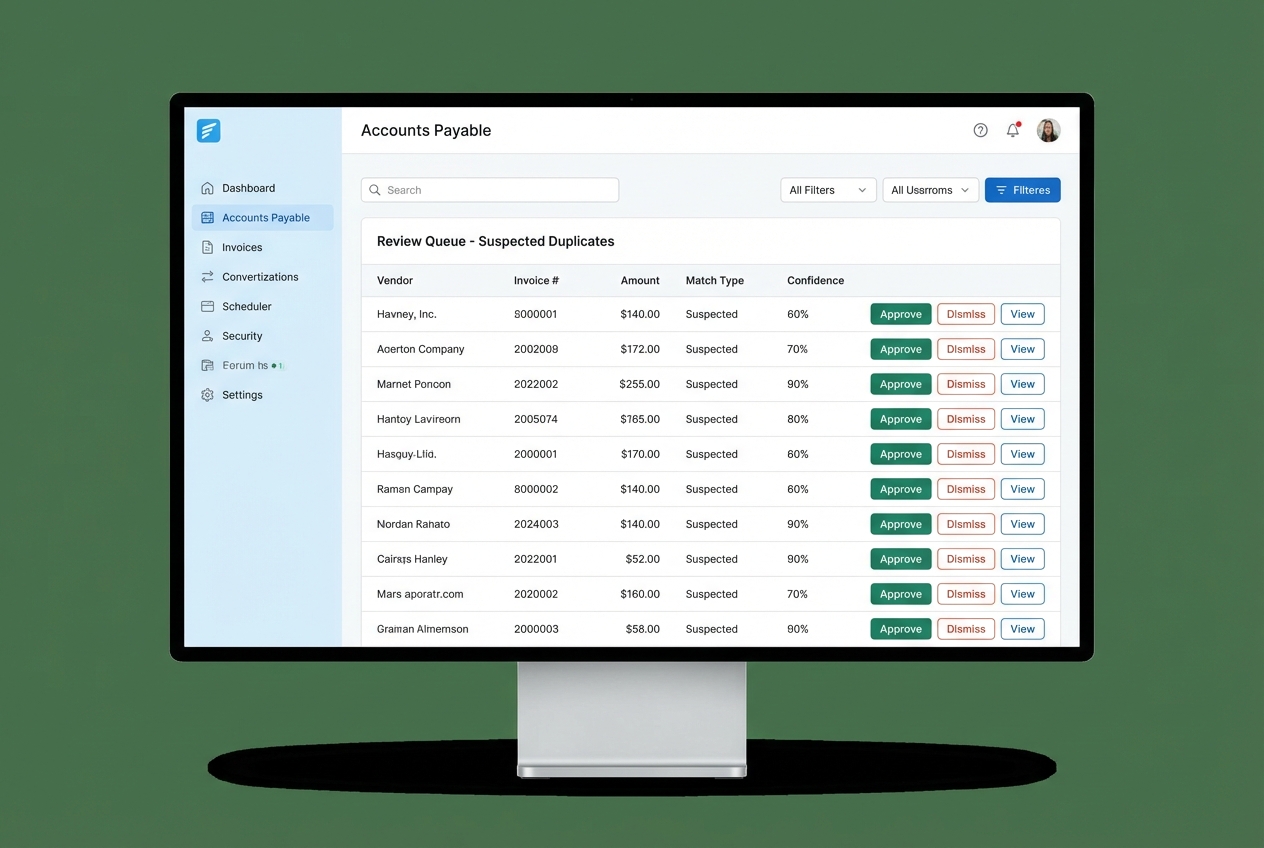
Even strong detection will sometimes flag legitimate invoices. Maybe two separate jobs had the same amount. Maybe a vendor bills weekly with similar totals.
That is why you need a “review queue” before the payment run.
The workflow is straightforward:
-
System flags suspected duplicates (exact or fuzzy).
-
AP clerk reviews the side-by-side invoice details.
-
Clerk chooses one action:
-
Dismiss: Mark it as legitimate so it can move forward in the approval and payment flow.
-
Confirm duplicate: Stop the payment and decide whether to reject the duplicate, void it, or merge it into the correct record.
-
Escalate: Route it to a manager when the evidence is unclear or the dollar amount is high.
-
Make the review queue effective:
-
Show “why it was flagged”: Example: “Invoice number similarity 92% and exact amount match.”
-
Include the source documents: One click to view the PDFs.
-
Log decisions: Your future audits will thank you, and the AI can learn from the outcomes.
Advanced Methods for High-Volume Invoice Environments
Supplier Master File Auditing
A messy vendor master is a silent duplicate generator.
Two vendor records for one supplier can bypass your duplicate logic because the system thinks they are different vendors. Examples:
-
Legal name variants: “Dell Inc.” vs “Dell Computer Corp,” where the vendor is the same but registered differently in your system.
-
Internal label variants: “ACME” vs “ACME (Accounts Payable),” where your team adds notes into the name field.
-
ID drift despite shared identifiers: Two records with the same tax ID, address, or bank account, but different vendor IDs.
What to do:
-
Monthly vendor dedupe checks: Compare tax IDs, bank accounts, addresses, and domains.
-
Vendor naming rules: Enforce one canonical name, store aliases.
-
Approval gates for new vendors: Do not allow anyone to add vendors without checks.
This is not glamorous work. But it removes a big chunk of risk.
Pattern Recognition and Anomaly Detection
Some duplicates are not accidents. They are attempts.
Pattern recognition helps you spot invoices that break normal behavior, such as:
-
Frequency anomalies: A vendor bills twice in one week when they usually bill monthly.
-
Bank detail anomalies: A new bank account shows up for a familiar vendor name, which can signal fraud or a compromised workflow.
-
Amount pattern anomalies: Repeated “round number” invoices that do not match historical patterns or contract terms.
Machine learning can highlight these outliers so your team focuses attention where it matters.
Strategic Best Practices for Prevention
Use these policies to reduce duplicates upstream, before your tools even need to catch them.
-
Standardize Vendor Requirements: Require all vendors to use unique, non-recycled invoice numbers. Tell them up front that reused numbers will delay payment.
-
Electronic Data Interchange (EDI): Shift toward EDI or portal-based billing to reduce manual entry. Fewer humans typing means fewer human mistakes.
-
Frequent Audit Cycles: Move from annual recovery audits to monthly or weekly digital checks. The faster you find issues, the easier they are to unwind.
Conclusion
Duplicate invoice detection starts with process, then it scales with technology.
If you centralize intake, implement exact match rules, and add OCR, you will stop many duplicates right away. When you layer in AI fuzzy matching plus a human review queue, you can catch the tricky near-duplicates that cost real money and waste real time.
Many AP automation vendors talk about this problem (including solutions like WNS), but the winning setup is the one that fits your workflow, your vendors, and your risk tolerance.
If you want to build a lean, custom detection workflow that matches how your business actually runs, you can prototype it quickly with Quantum Byte’s AI app builder and expand it with expert development when needed.

