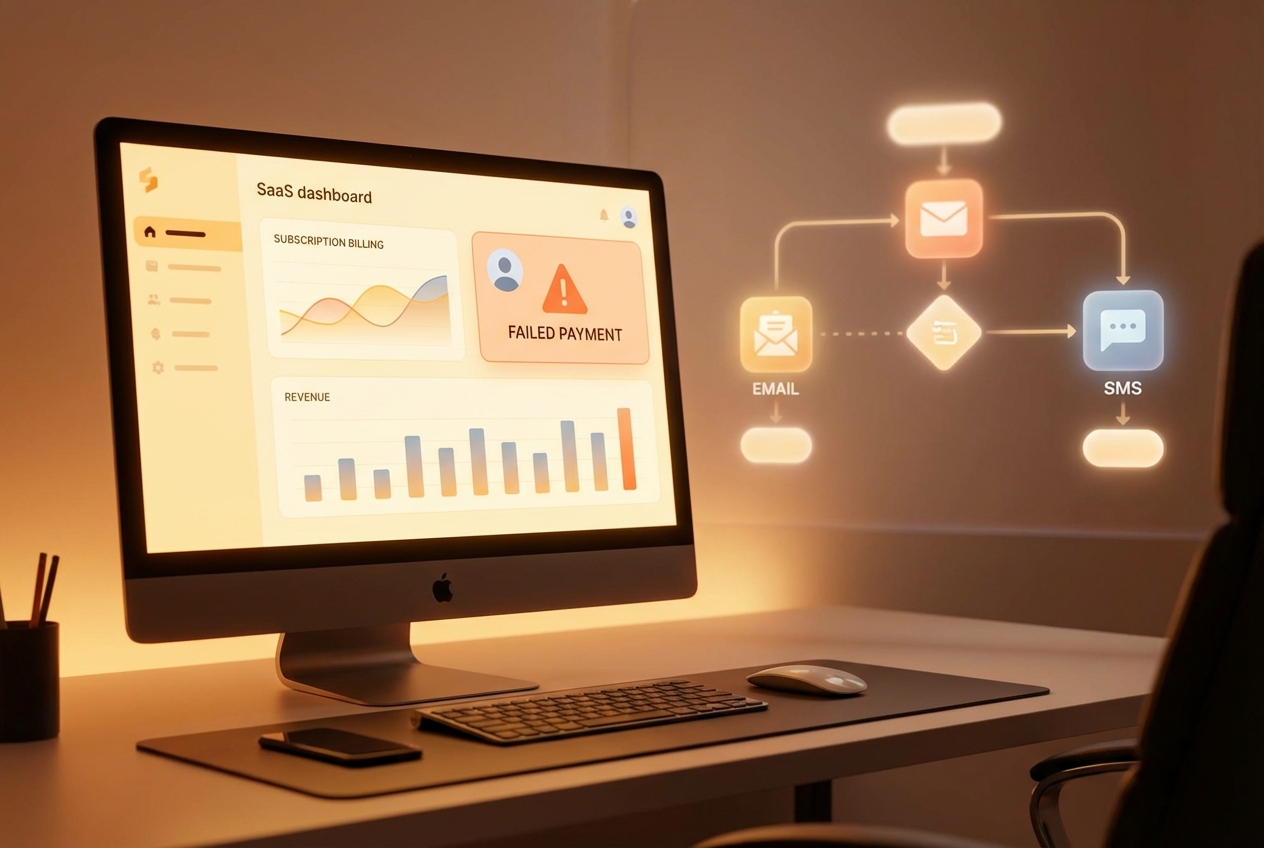
Failed payments are more than a nuisance. They are a silent killer of subscription revenue, with failed transactions costing businesses billions in avoidable churn every year.
Dunning automation is your shield. It replaces manual, awkward follow-ups with a consistent recovery engine that works in the background. That matters even more in SaaS, where retention is the main lever for growth.
This guide breaks down how dunning automation works, why smart retries matter, and the exact steps to set it up without harming customer trust. By the end, you will have a clear roadmap you can implement and scale, whether you use an off-the-shelf platform or build something tailored with a partner like Quantum Byte.
What is Dunning Automation?
At its core, dunning automation is software-driven payment recovery.
When a subscription charge fails, the system triggers a pre-built sequence that:
-
Retry: Retries the payment (often with smart timing based on likely success windows).
-
Notify: Notifies the customer in a helpful way so they can fix the issue quickly.
-
Reconcile: Updates your records automatically once payment succeeds so finance and support stay in sync.
Instead of your team chasing every $29 invoice, automation handles the bulk of low-risk recovery. According to HighRadius, the goal is to create a touchless environment where low-risk accounts are handled automatically, so humans can focus on high-value disputes and edge cases.
If you want a simple mental model: dunning automation is customer-friendly collections for subscriptions.
How Dunning Automation Works
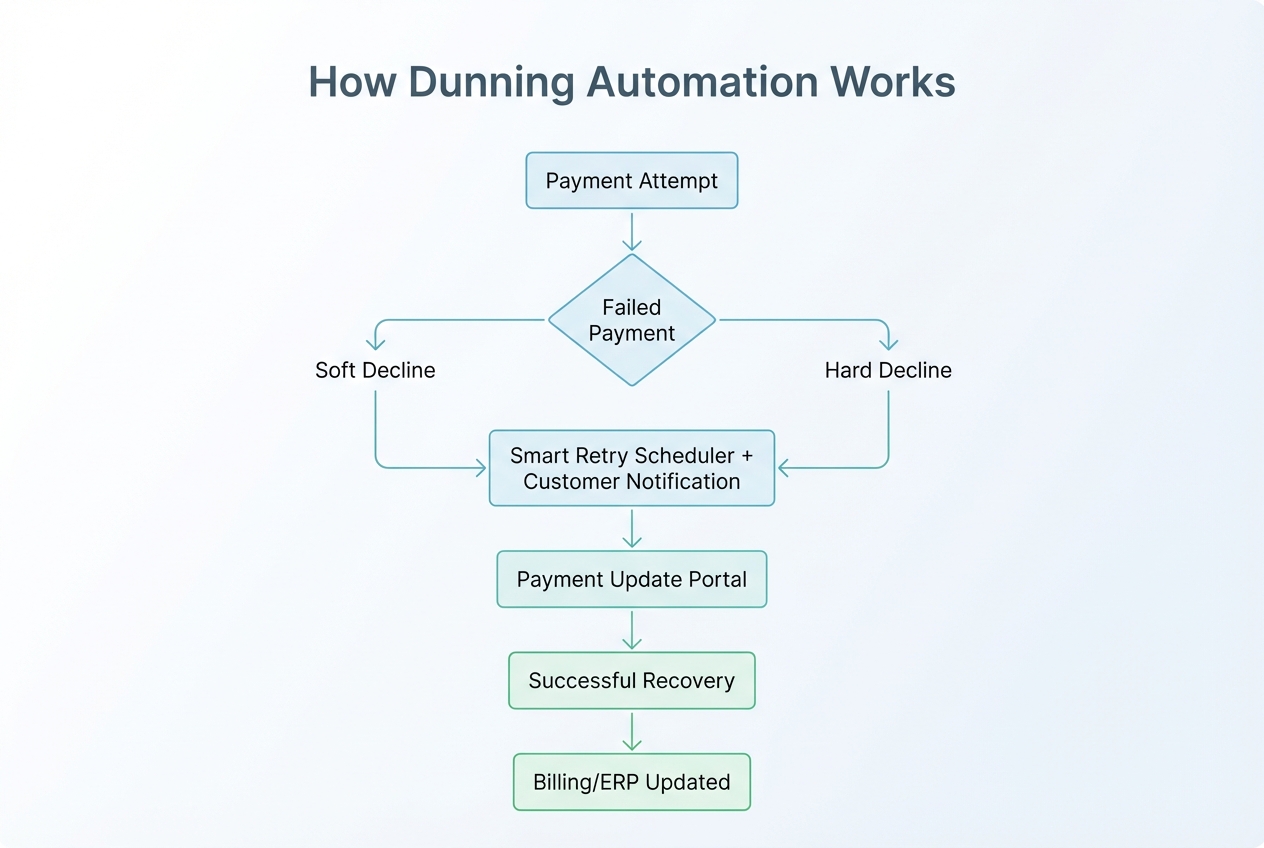
Dunning automation sits between your payment gateway and your customer data (billing account, CRM, and ERP). When a payment fails, it runs predefined logic.
Here is the typical sequence:
- Recognition: The system detects a failure from your processor (Stripe, Adyen, Braintree, and so on).
- Analysis: It reads the reason code and classifies it. Common examples are “insufficient funds” or “expired card.”
- Execution: It schedules retries and sends the right message at the right time.
- Resolution: When payment clears, it updates your billing and ERP, and restores access automatically.
A practical tip: treat soft failures differently than hard failures.
| Failure type | What it usually means | Best response |
|---|---|---|
| Soft decline | Temporary issue (insufficient funds, bank timeout, temporary limit) | Retry with smart timing + gentle reminders |
| Hard decline | Permanent issue (lost card, expired card, invalid number) | Ask for updated payment method quickly |
5 Critical Benefits of Implementing Dunning Automation
These are the wins you should expect when you set it up well.
-
Reduced Involuntary Churn: Up to 20-40% of SaaS churn is involuntary. That means the customer did not leave because they hated your product. Their payment just failed. Dunning automation helps you win those customers back before they slip away.
-
Improved Cash Flow: Faster recovery reduces DSO (Days Sales Outstanding). That gives you more predictable cash for hiring, ads, and product improvements.
-
Enhanced Customer Experience: The strongest dunning messages read like proactive help from your team. Clear language and a quick fix link can also increase trust.
-
Scalability: You can handle 10,000 past-due accounts without hiring 10 more people. The system does the repetitive work, every time.
-
Data Integrity: When statuses update automatically, you avoid human error and “who has the latest spreadsheet?” chaos. This is a big unlock if you are building broader process automation across your business.
A Step-by-Step Guide to Setting Up Dunning Automation
This is the practical setup sequence. Follow it in order. You will avoid most common mistakes.
Step 1: Integrate Your Data Sources
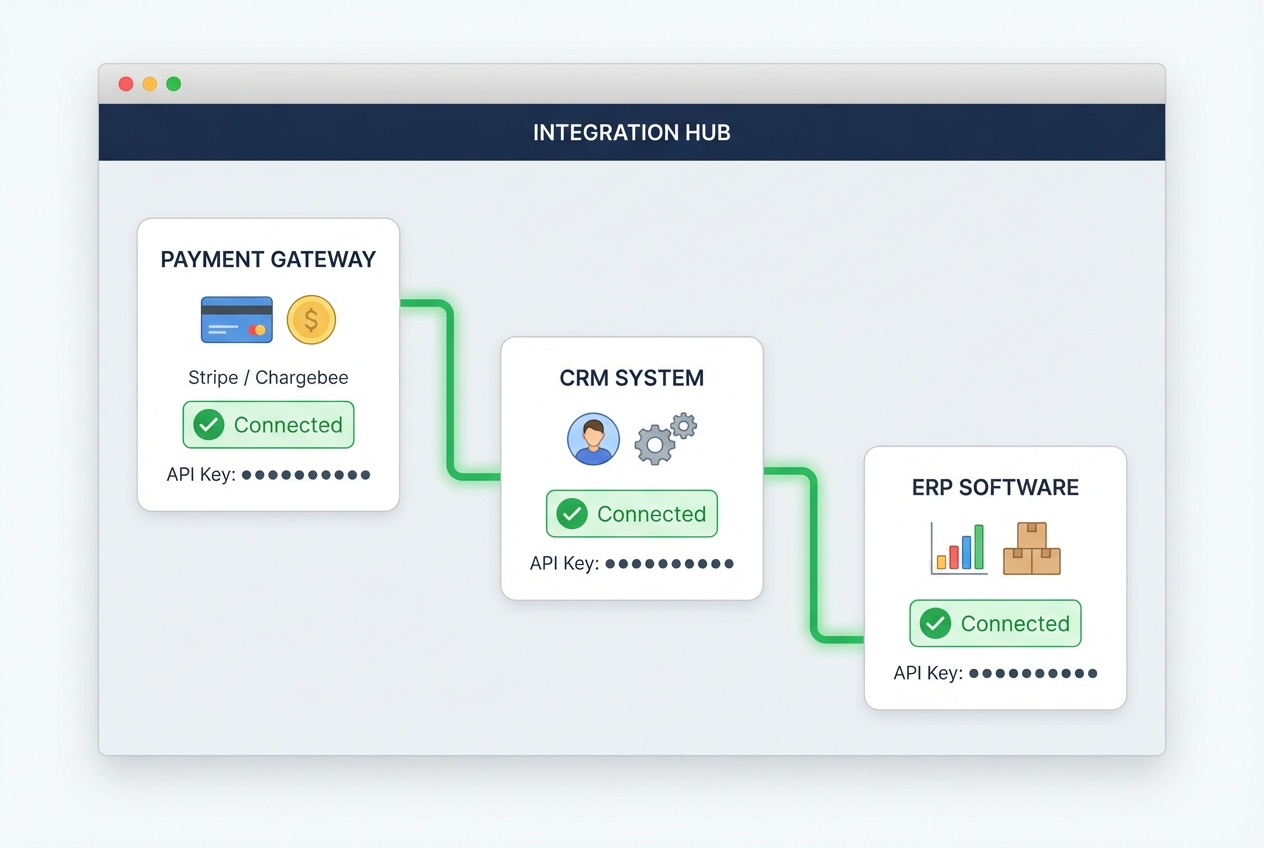
Your dunning engine is only as smart as your data.
Connect:
-
Billing platform: Your billing platform (Stripe, Chargebee, Recurly, and so on).
-
CRM: Your CRM (HubSpot, Salesforce, or even Airtable).
-
Accounting or ERP: Your ERP or accounting system (NetSuite, QuickBooks, Xero).
What you want is one clean customer view:
-
Plan and MRR: Their current plan and monthly recurring revenue.
-
Payment status: The payment method status and whether it is expiring soon.
-
History: Past failures and recovery history so you can tune your retry logic.
-
Context: Account owner and support notes, so you do not send robotic messages during an active support issue.
If you are running a more custom stack (or you want a branded self-serve “update payment” page), this is a good place to consider building a small internal tool. Quantum Byte’s AI app builder plus dev team can help you get a working internal dashboard in days, then refine it as you learn what your finance team really needs. When it connects into your wider finance automation stack, your books stay clean without extra manual work.
Step 2: Configure Smart Retry Logic
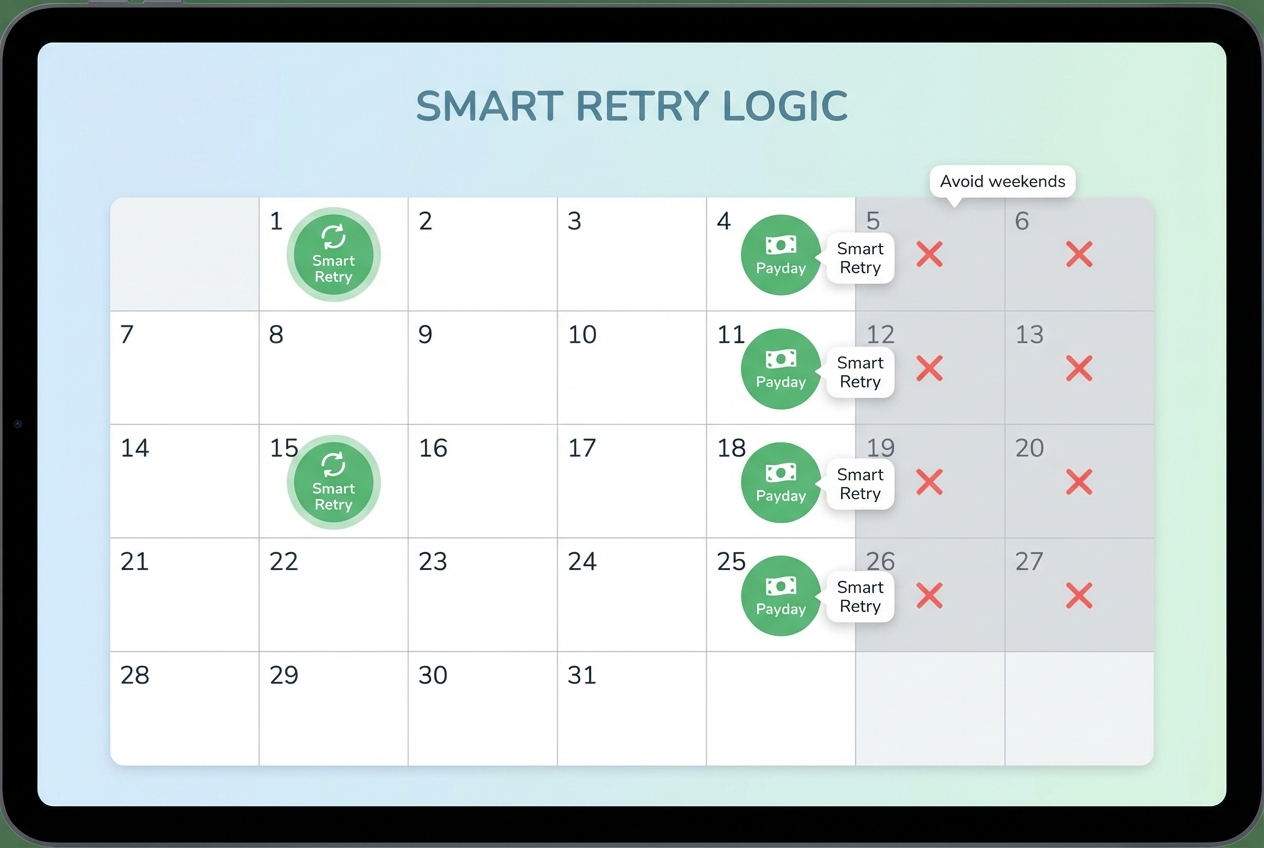
Static retries are better than nothing. Smart retries are better than static.
Instead of “retry every day at 2am,” smart retry logic aims for high-success windows. Think:
-
Paydays: When customers are most likely to have funds.
-
Early-month cycles: Dates like the 1st and 15th, when many budgets reset.
-
High-liquidity times: Times when your customers usually have funds available (often weekday mornings in their timezone).
A simple smart retry setup (good enough for most SaaS):
-
Retry 1 (same day): 4 to 8 hours after the failure. Many soft declines clear quickly.
-
Retry 2 (next “good” day): Skip weekends, aim for a weekday morning in the customer’s timezone.
-
Retry 3 (payday window): If you serve consumers or small businesses, paydays matter.
-
Stop point: After 3 to 5 attempts, switch to card update requests and escalation rules.
Step 3: Design Multi-Channel Communication
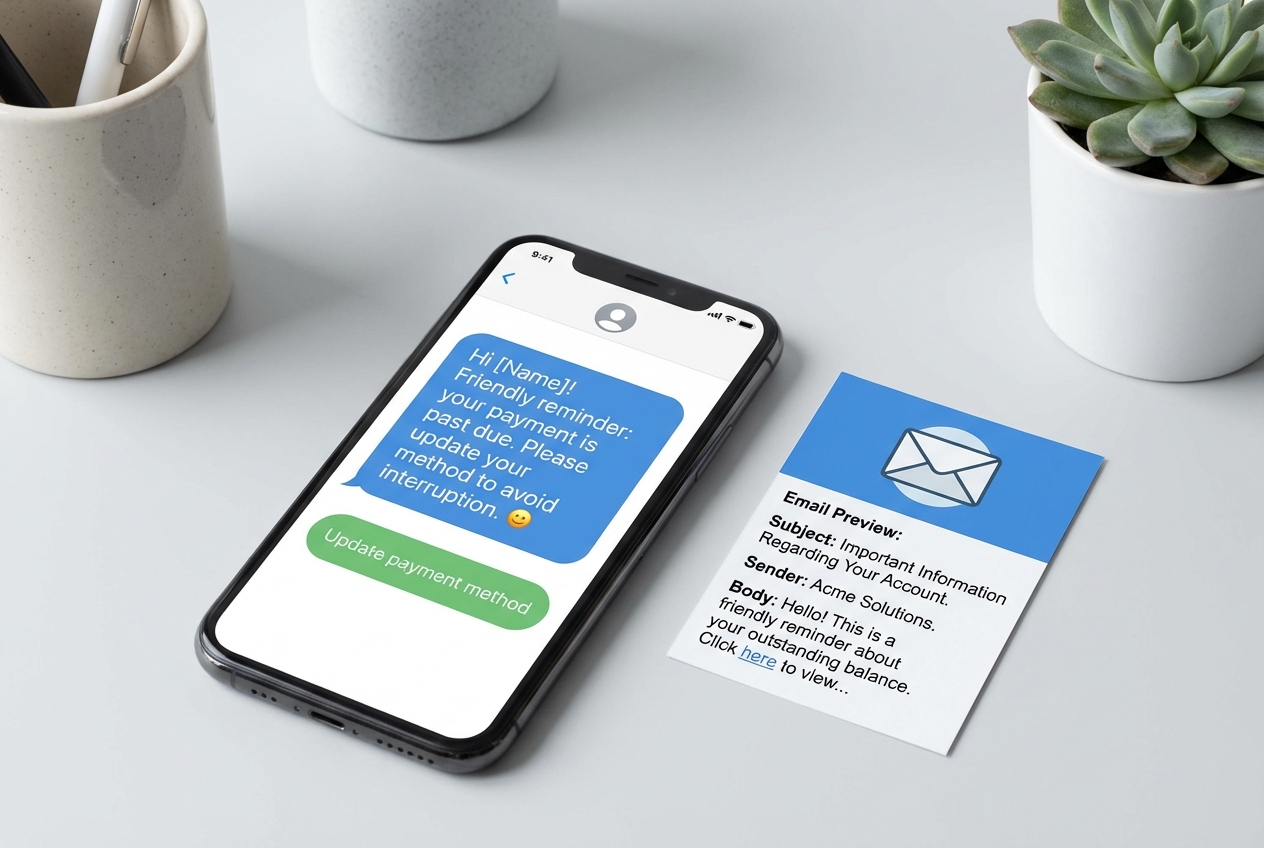
Email alone is not enough anymore. People miss emails. Or they land in promotions. Or the customer who owns the card is not the one reading billing emails.
A strong dunning setup uses multiple channels, such as:
-
Email: Great for detail (amount, invoice reference, and a clear update link).
-
SMS: Best for speed and urgency, especially when an update is needed now.
-
In-app banner: Perfect when users are active in your product but not checking billing inboxes.
-
Support or CRM task: Ensures an account owner gets a heads up for higher-value customers.
A simple 5-message sequence you can copy:
-
Message 1 (Day 0): Quick heads up, plus a direct link to update the payment method.
-
Message 2 (Day 2): Same direct link, plus context like “this can happen when a card expires.”
-
Message 3 (Day 5): Clearer urgency, plus a specific mention of potential service interruption.
-
Message 4 (Day 10): Final reminder, plus the exact suspension date so there is no ambiguity.
-
Message 5 (Day 14-21): Final notice, plus the next step to get help if they are stuck.
Each message should include:
-
Primary CTA: A single primary CTA button so there is one obvious action to take.
-
Payment details: The amount and invoice reference so the customer can match it quickly.
-
Self-serve link: A link to a secure self-serve portal where they can update details fast.
Step 4: Define Automated Escalation Paths
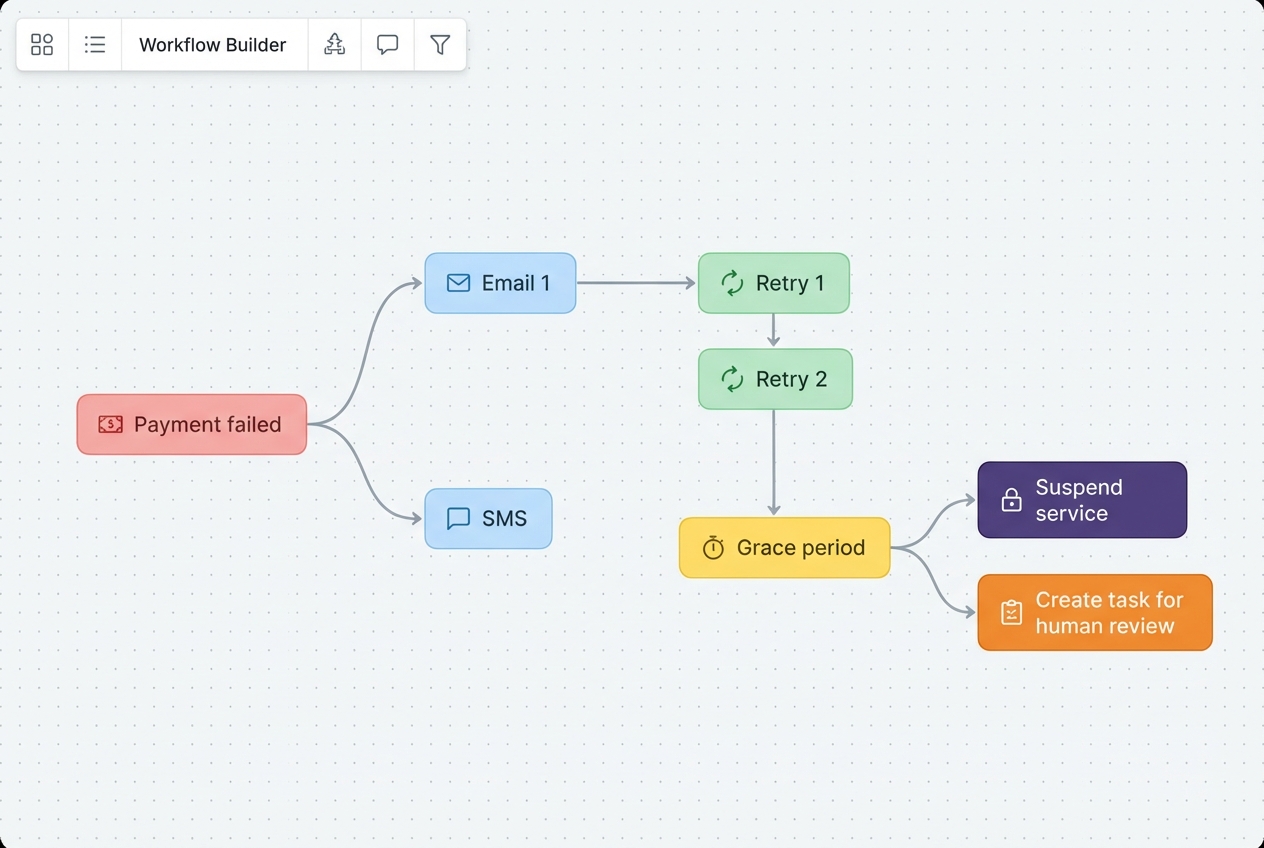
Automation should not mean “set it and forget it.” You still need clear rules for when a human steps in.
Common escalation triggers:
-
MRR threshold: The account hits a certain MRR level where a human touch is worth it.
-
Contract risk: The customer is enterprise and has a contract with service expectations.
-
High intent but still failing: The card update link was clicked but payment still failed, which often signals a deeper issue.
-
Max grace window: The timeline hits your maximum grace window (often 14 to 21 days).
A clean escalation policy looks like this:
-
Low-risk, low-value plans: Use automated retries and automated reminders, then pause access after the grace period to protect your costs.
-
High-value accounts: Alert an account manager early, before access is impacted, so the customer feels supported.
-
Dispute signals: Route to support immediately. Focus on resolution first, because most “billing problems” are really “confusion problems.”
This is where automated workflows pay off. Once your rules are in place, the system does the sorting for you.
Best Practices for Dunning Automation Success
These are the details that separate “we set up dunning” from “we recover revenue without burning trust.”
-
Lead with Empathy: Most failures are accidental. Say “It looks like your card needs an update” instead of “Your payment is overdue.” You are helping them keep service running.
-
Provide Self-Service Portals: Every message should link to a secure page where the customer can fix it in under 60 seconds. Fewer clicks equals higher recovery.
-
Segment by Risk: Treat customers differently based on value and history. A $10,000 account with a clean payment record deserves a softer, more personal approach than a low-ticket account with repeated failures.
-
A/B Test Subject Lines: Small changes can shift open rates. Test “Quick update needed” vs. “Payment failed for {Product}” and track recoveries, not just opens.
Opinion: prioritize clarity over cleverness. Billing emails are not marketing emails. Your customer is trying to fix a problem fast.
Choosing the Right Dunning Automation Software
The “right tool” depends on your stack and your pricing model, but the evaluation criteria is consistent.
Look for these features:
-
AI-Powered Predictive Retries: Tools that learn when your customers are most likely to succeed on retry, based on history and decline patterns.
-
Multi-Currency Support: Essential if you sell globally. Cross-border payments can fail for reasons local payments do not.
-
Seamless ERP Syncing: You want one source of truth. If your dunning tool does not sync properly, your finance team will mistrust it quickly.
Here is a simple comparison checklist you can use:
| Criteria | Why it matters | What to look for |
|---|---|---|
| Retry intelligence | Directly impacts recovered revenue | Smart retries, timezone support, adaptive schedules |
| Comms flexibility | Helps reach the cardholder fast | Email + SMS + in-app + webhooks |
| Customer portal | Reduces friction to fix the issue | Hosted page or easy embed in your app |
| Reporting | Proves ROI and shows leaks | Recovery rate, churn prevented, time-to-recovery |
| Integrations | Keeps data clean across teams | Native integrations or stable API/webhooks |
If your business is unique (most are), you may end up wanting a custom layer. For example: a rules engine that routes enterprise accounts differently, or a branded portal inside your product.
That is a strong fit for Quantum Byte's approach: prototype a working system with AI quickly, then have experts harden the edge cases so it runs reliably at scale.
Frequently Asked Questions
What is dunning in accounts receivable?
Dunning is the process of methodically communicating with customers to collect accounts receivable. In subscription businesses, it usually focuses on failed card payments and overdue invoices.
Why is dunning automation important for SaaS?
Because a big portion of churn is not voluntary. Customers often do not cancel. Their card expires, changes, or fails. Dunning automation helps you recover that revenue before it turns into churn.
How often should dunning emails be sent?
A typical sequence is 3-5 emails over 14 to 21 days. Start gentle. Increase clarity and urgency over time. Always include a fast way to update payment details.
What is a smart retry in dunning?
A smart retry is an automated retry that aims for the most likely success window, based on historical payment behavior and decline signals. It beats “retry every day” because it retries when it actually has a chance to work.
Can dunning automation damage customer relationships?
Not when done correctly. Empathetic language, clear timelines, and quick self-serve options usually improve the experience. The customer wants the problem solved. Your job is to make that easy.

